

Why customers decline your MPI, and how video fixes it
This post in 30 seconds.
- A video MPI doubles approval rates: 51% of customers approve recommended work when they see video evidence vs 24% without it (J.D. Power 2024).
- One Toyota dealership went from a 32% approval rate to 78% after adding inspection videos in January 2026.
- Built for service managers and fixed-ops advisors running an MPI or DVI flow who are tired of watching declined work walk out the door.
The tech goes under the car. Spots the front brakes at 2mm, the rear tyres cupping, a slow oil leak at the sump gasket. Fills out the MPI. Hands it to the advisor. The advisor calls the customer: "We found a few things you'll want to take care of."
Customer: "How much?" Advisor gives the total. Customer: "I'll think about it."
That conversation costs the service drive real money. Not because the work wasn't needed. Because the customer had no way to see it. They're making a decision about worn brake pads they've never looked at, described to them by someone they don't know, over a phone.
When the customer can see the worn tyre next to a new one, that call goes differently. That's what a video MPI is for.
If you run the service department at a dealership and you're watching approved-work percentages stay flat while declined work piles up in your DMS, a 15-minute demo is the fastest way to see what adding video to the write-up flow actually changes. Book a demo with the VentaVid team and we'll walk through it on your own inspection flow.
What is a video MPI?
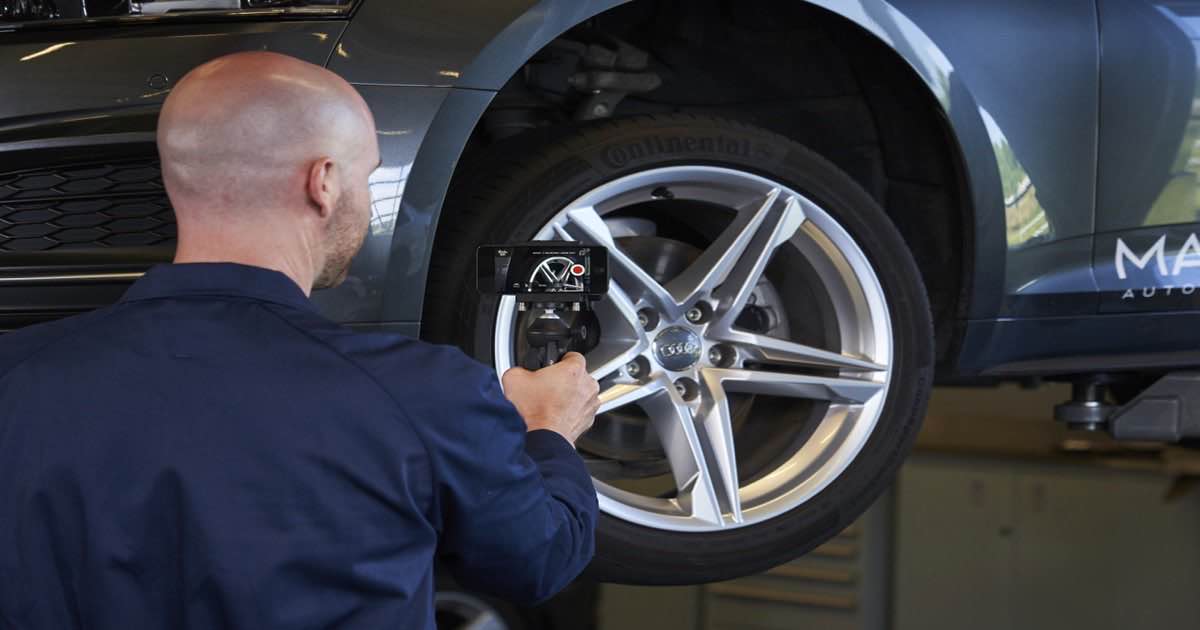
A video MPI (multi-point inspection) is a short video recorded by the technician during the standard inspection, showing the customer the actual condition of their vehicle. Not a checked box on a form. Not an advisor reading findings off a screen. The tech on camera, under the car, showing the worn part.
When the customer can see the worn tyre against a new one, the phone call gets a different answer.
The basic workflow looks like this: the technician records a 30-60 second video during the inspection. The video goes to the service advisor. The advisor sends it to the customer on their preferred channel before the approval call. The customer watches, understands the finding, and approves the work.
A few terms you'll hear used interchangeably:
- Video MPI or video multi-point inspection is the most common term in North America
- DVI (digital vehicle inspection) is the broader category, which includes photo and video documentation of vehicle condition
- VHC (vehicle health check) is the equivalent term used in the UK, Netherlands, and much of Europe
All three describe the same core idea: show the customer what you're looking at, don't just tell them about it. If your service team already runs digital aftersales video for other touchpoints, the MPI video plugs straight into that workflow.
Why phone approvals keep getting declined
Here's the actual problem. The technician sees the issue clearly. The advisor hears it secondhand. The customer hears it thirdhand, on a phone, without any visual reference, from someone they've met once.
That's three degrees of separation between the worn part and the decision. At each step, information is lost. At each step, trust erodes slightly. By the time the customer hears "we recommend replacing the front brake pads," they're making a judgment call based on nothing. No wonder so many say "I'll think about it."
The data makes the gap visible. According to J.D. Power's 2024 U.S. Aftermarket Service Index Study, 51% of customers who received an MPI with photo or video documentation had the recommended work done. Among customers who didn't receive any visual evidence, only 24% approved the work. Visual proof more than doubles the approval rate.
The demand gap is just as striking. The J.D. Power 2026 CSI Study found that 64% of customers say they want photo or video documentation alongside their MPI results. Only 26% of mass-market customers actually receive it. That's not a small gap. That's most of your customers expecting something they aren't getting.
What declined work is costing your service drive
Walk the math on a single advisor. These are example numbers. Swap in your own.
Not all of that comes back. But when the customer watches a 45-second video showing the actual worn part, more of it does. The Toyota of Montgomery service team switched to video MPI in January 2026 and reported a 78% approval rate with videos versus 32% without, three consecutive record-breaking months of service revenue, per a report by Dealership Guy.
If you want to see what these numbers look like on your own service drive, book a 15-minute demo and we'll run through the math together.
How to run a video MPI: the end-to-end flow
The workflow has three steps. Each one has a way to do it correctly and a way to lose the approval.
Step 1: the tech shoots the inspection video
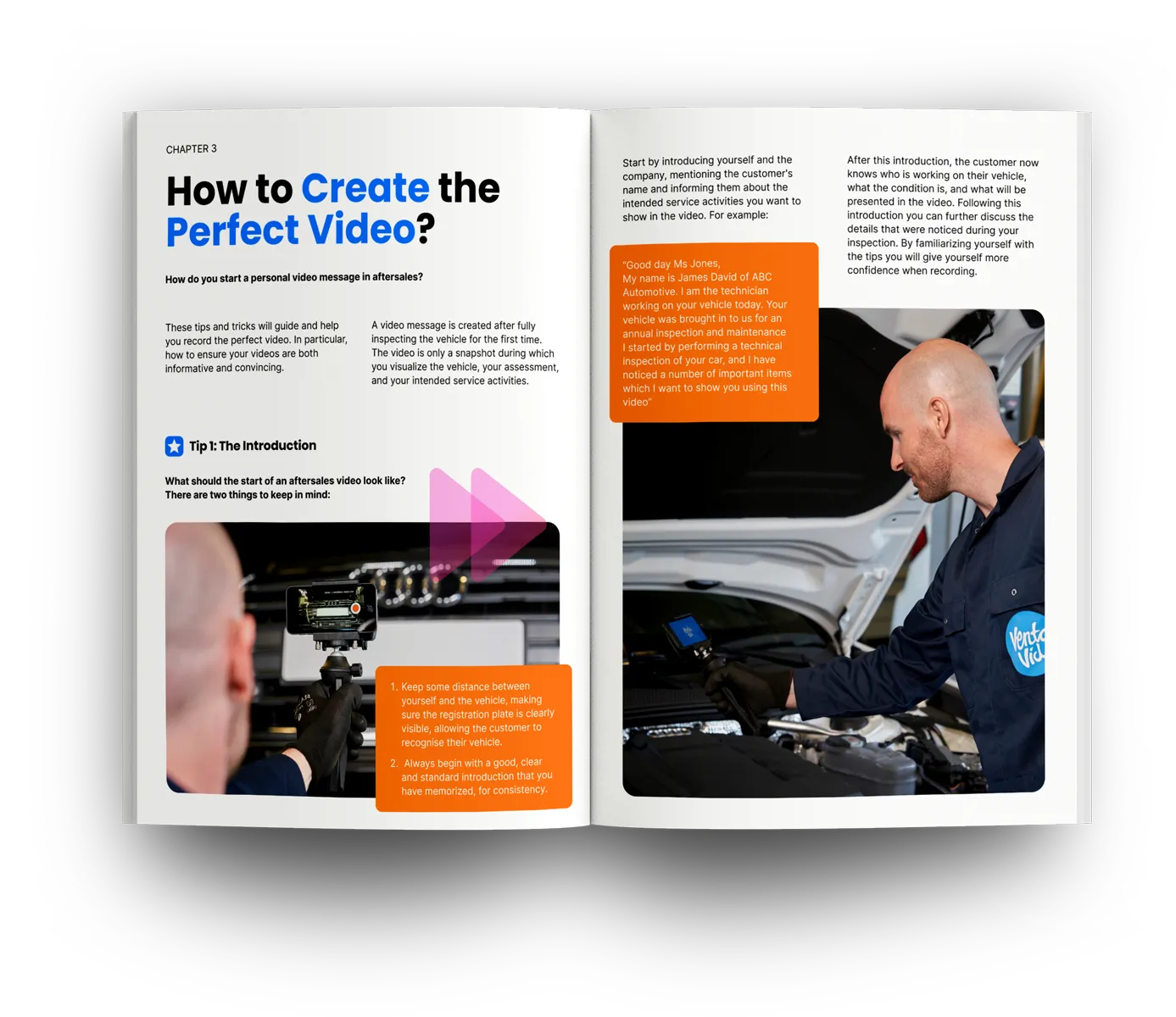
Thirty to sixty seconds is the practical sweet spot. Long enough to greet the customer by name, cover the two or three most important findings, and show each one. Short enough that someone watching from their phone at their desk watches the whole thing.
The technician's voice explaining the actual worn part carries more weight than any advisor's phone call.
Joel Love, Service Director at Toyota of Montgomery, put it simply: the technician is the doctor, and the customer wants to hear from them directly. That's the framing that makes video MPI work. The technician has credibility. A video is how that credibility reaches the customer instead of getting filtered through an advisor relay.
What to show, not say:
- Hold the brake pad depth gauge next to the pad. Name the measurement. Name the minimum. Explain what happens if they wait.
- Position a new tyre next to the worn one. Let the customer see the tread difference.
- Film the fluid. Describe the color in plain language. ("This is what clean oil looks like. This is yours.")
Use words a non-mechanic understands. "Your front brakes are at about 2mm. The minimum is 1.6mm. We'd recommend replacing them before your next long drive" lands better than "pad depth is at 20% life remaining."
Keep the bay quiet. Hold the phone steady. Start with good news before the recommendations. It sets a tone of transparency rather than sales pressure.
Step 2: the advisor sends it on the customer's channel
A video sitting in an internal system isn't doing anything. The question is how it gets to the customer, and how fast.
Channel matters more than most service managers realize. An email with a video attachment goes to the inbox the customer checks twice a day. An SMS goes to the phone they look at every few minutes. For time-sensitive repair approvals, that difference is real.
This is where the workflow splits between a basic approach and a more effective one. A raw video text is better than no video at all. But when the video arrives as a branded interactive page, the customer gets something different: a link that opens the video, shows the repair description, and puts an approve button, a pay button, and a reply option in front of them in the same screen.
They tap. They watch. They tap approve. No callback needed. The aftersales team gets a notification the moment the customer opens it. The bay can start work without waiting for a phone call that may not come for two hours.
Step 3: the customer acts, and you see it happen
Real-time visibility changes the advisor's job. When the customer opens the video, the advisor gets a notification. At that point, following up makes sense. Before that, a follow-up call is a guess.
VentaVid's service data shows that 85% of service videos are viewed within 15 minutes of being sent. Most approvals happen in that window. The ones that don't are the conversation starter for a follow-up call: "I noticed you had a chance to look at the inspection video. Do you have any questions about the front brakes?"
If the customer approves: the repair order is confirmed, work starts, no second call needed.
If they don't respond, that's different from declining. That's the follow-up play described below.
What makes a good inspection video
Most service teams who try video MPI and don't see results aren't doing it wrong on the inspection side. They're doing it wrong on the video side. The inspection is fine. The video is shaky, dark, seven minutes long, and reads off the entire MPI form from start to finish.
A 45-second video where the tech shows the brake dust and the worn pad gets approved. A three-minute monologue reading off the MPI report gets ignored.
Structure that works:
- Open with the customer's name and something positive. "Hi Sarah, just finishing up your CX-5. Your tyres front-left and front-right look good, oil's been topped up." Thirty seconds of this frames the video as a service, not a sales pitch.
- Transition to the findings that need attention. "There are two things I want to show you." Then show them. Camera on the part, not on your face.
- Give a timeline, not just a recommendation. "This should be sorted before winter" or "this is safe for another six weeks if you're not doing highway miles" is more useful than "we'd recommend fixing this soon."
- End with next steps, not a price. The advisor handles pricing. The tech handles credibility. "I've flagged this for your advisor, who'll go through the options with you" closes the loop without pressure.
What kills approval on good video:
- Background noise (lifts, compressors, other techs talking)
- Shaky camera, poor framing: the customer can't see what you're describing
- Jargon without translation ("the CV axle is showing signs of boot degradation")
- Starting with the most expensive repair: feels like a sales pitch, not an inspection report
Tom Druzynski, Director of Service Operations at West Herr Automotive Group, which equipped 650 technicians with iPhones for video MPI, described the underlying principle: "Video is the perfect way to bridge the gap and to show that customer: 'hey, listen, we just report the news.'"
"VentaVid video systems are excellent. The systems they supply are second to none and I would definitely recommend it."
by Steve Mildoon, Service Manager, Mercedes Benz South West
What to do when the customer still declines
Some customers watch the video and still say no. That's a different situation from a customer who never saw the evidence. They're informed, which means the follow-up conversation has somewhere to go.
A 90-day declined work list sits in most service DMS platforms. That list is money that was identified, documented, and then lost to a customer who said "not today." A personalized video follow-up is the most effective tool to recover some of it.
The play: when the vehicle comes back for its next service, or 30-60 days after the original visit, send a short video referencing the declined finding. "Hi Sarah, just a quick note: when your CX-5 was in last month, we flagged the front brake pads at 2mm. They're getting close to the minimum. We wanted to touch base before your next long drive." Attach the current DVI findings if you have them.
According to CBT News reporting on West Herr Automotive Group's service operations, stores leaning hardest into video follow-up are seeing closing ratios on declined work climb above 50%. That's money you've already identified, already priced, and simply hadn't found a way to recover.
The boost repair sales guide covers the wider declined-work recovery process. And the guide on building personalized video into your aftersales workflow walks through how to integrate video at each service touchpoint.
The coaching angle: who's sending the best videos?
A service manager who runs video MPI has something most never had before: data on technician performance at the customer-communication layer.
Most DMS platforms track repair hours and RO volume. They don't tell you which tech's videos get opened, which ones get approved, and which ones get ignored. A platform that routes the video through a delivery channel and tracks view events does. And the difference between the tech whose videos get a 70% approval rate and the one at 30% is usually visible in the first watch.
87% of VentaVid users report increased conversions after adding personalized video to their service workflow.
The coaching opportunity is real. Show the team what a strong video looks like. Use the analytics and leaderboard tools within VentaVid to identify who needs coaching and what good looks like. Share the tech whose approval rates are highest. Make the data visible.
Mohsin Haider Darwish, a Suzuki dealer, lifted parts and labour upselling from 55% to 91% and customer approval rates from 68% to 88% with VentaVid. That kind of shift doesn't happen from one technician doing it occasionally. It happens when the whole team does it consistently and the service manager can see who is and who isn't.
West Herr equipped 650 technicians with iPhones. That scale requires accountability, not just encouragement. The analytics layer is what makes it manageable. If you want to see the aftersales video platform in action, including the coaching dashboards, the demo is the fastest path.
Frequently asked questions
What is a video MPI?
A video MPI (multi-point inspection) is a short video recorded by a technician during the standard multi-point inspection, showing the customer the actual condition of their vehicle. Instead of a checkbox form or an advisor's phone explanation, the customer sees the worn brake pad, the low fluid, or the tyre tread themselves. It typically runs 30-60 seconds and is sent by text or a branded link before the advisor calls for approval.
How does a video MPI improve approval rates?
J.D. Power's 2024 Aftermarket Service Index Study found that 51% of customers who received photo or video evidence approved recommended work, compared to 24% who didn't receive any. In 2026, Toyota of Montgomery reported a 78% approval rate when using MPI videos versus 32% without. The gap exists because customers trust what they can see, not a number quoted over the phone by someone they've met once.
What's the difference between a video MPI, a DVI, and a VHC?
These terms are often used interchangeably. DVI (digital vehicle inspection) is the broader category, covering photo and video documentation of vehicle condition. VHC (vehicle health check) is the standard term in the UK and much of Europe. Video MPI specifically refers to a video recording of the inspection, rather than just photos or a digital checklist. All three share the same goal: show the customer what you found.
How long should a video MPI be?
30-60 seconds is the practical sweet spot. Long enough to greet the customer personally and cover the two or three key findings; short enough that someone watching from their phone while at work watches the whole thing. Real-world service teams find that 45-60 seconds total gives enough time to build credibility and cover the main findings without losing attention.
Do customers actually watch the video?
Yes, and faster than most advisors expect. VentaVid's service data shows that 85% of service videos are viewed within 15 minutes of being sent. The key is delivery channel: an SMS link gets opened faster than an email, because it arrives in the same thread as all the customer's other messages. A branded interactive page sent over SMS, with the video and the approve button on the same screen, gets acted on in the same session rather than saved for later.
What happens when the customer declines after watching the video?
A decline after watching is better than a decline without watching, because the customer is informed and the follow-up has a foundation. The standard recovery play: add the declined item to the vehicle's service record, wait 30-60 days, and send a short follow-up video referencing the original inspection finding. Closing ratios on declined work using video follow-up can exceed 50%, per CBT News reporting on West Herr Automotive Group.
Does VentaVid work for video MPI?
Yes. VentaVid is built specifically for service and aftersales teams. The technician or advisor shoots a short video on any phone, VentaVid turns it into a branded interactive page with approve, pay, and reply buttons, and the advisor sends it via SMS, WhatsApp, or email. The customer gets one link, watches the video, and can approve the work without a callback. The service manager sees who opened it and when. See how it works on your write-up flow with a 15-minute demo.
Talk to us
If you run a service department and recommended work keeps getting declined over the phone, a 15-minute demo is the fastest way to see what adding video to the inspection flow changes.
Low-risk to try.
- 7-day free trial, no credit card required.
- No editing skills needed. Your technicians shoot on the phone they already carry.
- We'll show it on your own write-up flow on the call.
The VentaVid team builds personalized video for sales and service teams so they can sell and service more with a human face.