

The short version for the dispatch board.
- The blocker: almost everything sold as remote diagnostics assumes a connected installed base. Yours probably isn't.
- The other route: the person already standing at the machine films it for you, guided step by step, with no hardware to fit.
- The honest limit: guided capture doesn't diagnose anything. It gets better evidence to the qualified person, who still makes the call.
- Who it's for: field service managers and technical support leads in equipment, HVAC, utilities and machinery.
The most expensive sentence in field service is a description.
"It's making a noise." "Something's loose at the back." "There's an error on the display, I don't remember the number."
Each of those lands on a ticket. Someone then has to convert it into three decisions: which technician, which parts, which day.
I've sat next to support engineers doing that triage, and the tell is always the same. At some point the caller holds the phone up toward the machine and says "can you hear that?" That is the moment the process runs out of road.
Everything the specialist needs for a remote diagnosis is visible, audible and physically present. The only channel available is a description produced by someone who doesn't know which details matter. Get the conversion wrong and it compounds: a failed first visit adds two more visits on average and stretches resolution by 14 days, according to the 2025 Field Service Benchmark Report from Aquant.
If you run field service or technical support for equipment that lives on other people's sites, you know the no-fault-found visit and the van that arrived without the part. Venta Capture, a product of VentaVid, was built for that gap: the person at the machine records what your specialist needs to see, guided step by step, and it lands as a structured case. Start a free account and build a capture flow around the fault type you dispatch most.
In this post:
Why diagnosing over the phone keeps failing
A phone description is not raw information. It's an interpretation, made by someone with no training in what your specialists look for, under time pressure, usually from memory rather than while standing at the machine.
Then it decays. The operator tells the site contact, the site contact calls your service desk, the service desk types a summary, the planner reads the summary and picks a technician. By the time a description reaches the dispatch board it has been through three translations and lost the two details that would have decided the visit.
That's how the wrong person ends up on site. An electrical fault draws a mechanical technician, and a control board failure draws a van stocked for a hydraulic job.
Nobody made an obviously bad call. They made a reasonable call on bad inputs.
The benchmark data says this is normal, not exceptional. Median first-time fix rate across the industry sits at 75%, with the top 20% reaching 86% and the bottom 20% at 53%, according to VSight's field service KPI benchmarks citing the same Aquant study. VSight also notes the number only means anything over a 30-day window, because a shorter window quietly splits repeat visits into fresh tickets and flatters the rate.
So at the median, one visit in four doesn't fix the problem. Each of those failures triggers the Aquant pattern: two more visits, two more weeks.
What does that cost? Honestly, nobody knows precisely, and any vendor telling you otherwise is guessing. VSight's own truck roll glossary puts the commonly repeated industry estimates at roughly $150 to $500 direct, and around $1,000 once indirect costs are counted. The same page states plainly that no verified industry benchmark sits behind those figures.
Treat them as a starting point for your own arithmetic, not as a fact. The number that matters is your loaded cost per dispatch, and most planners can produce it in ten minutes from payroll, vehicle and parts data.
The sensor assumption in remote diagnostics
Search "remote diagnostics field service" and you get one answer repeated in different fonts: fit sensors, stream telemetry, read fault data centrally, move toward predictive maintenance. It's a good answer. It also assumes a fact about your installed base that usually isn't true.
Most installed bases are mixed and old. Machines from four vendors across three decades, some with a controller that could theoretically talk to something, most with a display and a beeper. They sit on customer sites, which means the connectivity decision isn't even yours to make.
There is no retrofit budget for that, and there won't be one next year either. Which leaves the practical question that the telemetry answer skips: how do you get expert eyes on a machine that will never have a sensor in it?
Your options for getting to a remote diagnosis are worth naming precisely, because they get lumped together as "remote" when only one of them is really asynchronous.
- Dispatch someone. Complete information, highest cost, slowest. This is the default you're trying to use less often, not eliminate.
- Book a live video session. Removes the travel, keeps the appointment. Your specialist and someone standing at the machine both have to be free at the same minute, which on a customer site is harder than it sounds.
- Send a capture link. The person on site records what you asked for whenever they can get to the machine. Your specialist reviews it when the case reaches the top of the queue.
The third option removes the scheduling problem, not only the distance problem. Scheduling is what actually caps how many machines you can look at in a week. We wrote about the same three-way split for insurance in remote claim inspection, and the logic transfers cleanly to a dispatch board.
Customers are already asking for this. A ServiceMax survey reported in SightCall's roundup of field service statistics found 58% of customers want more remote service options, and 67% of field service companies felt a real customer push to add remote service to what they offer.

Visual remote diagnosis: the operator shows you the machine
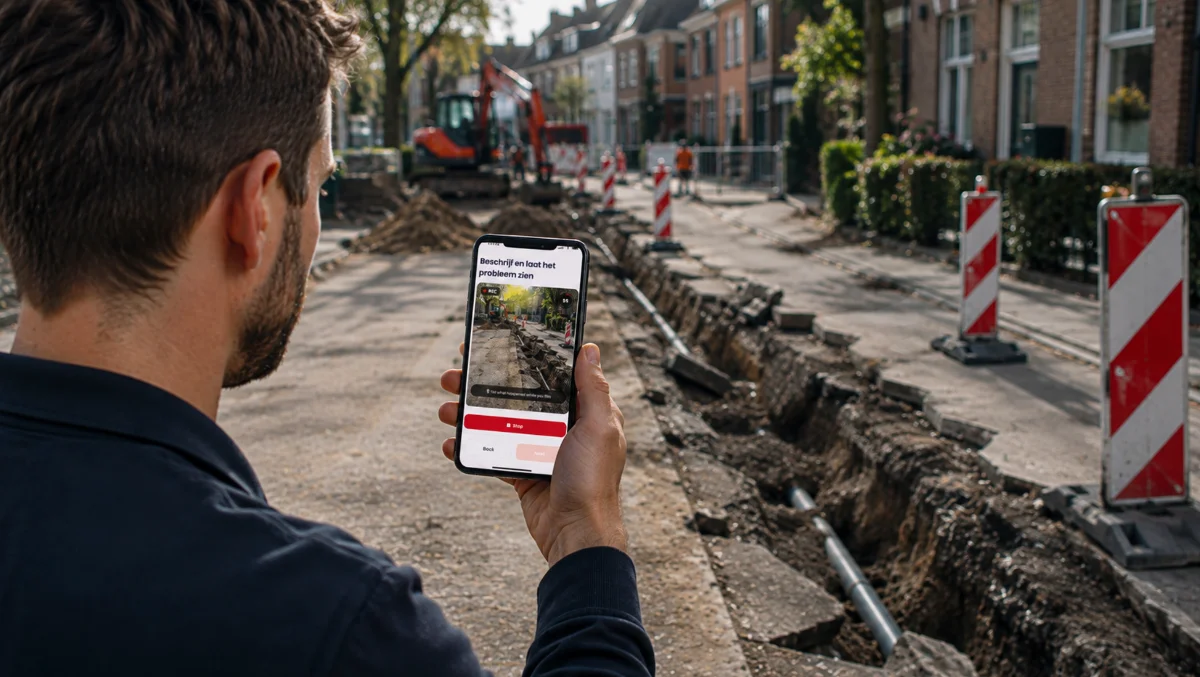
Here is the swap. Instead of asking the operator to describe the fault, you ask them to show it, in an order you decide in advance. A remote diagnosis on one ticket then starts from footage of the actual machine, not from a paraphrase of it.
A guided capture flow for a machine fault typically walks through:
- The complete machine, so the reviewer knows the model, configuration and installation before anything else.
- The relevant component, framed the way your specialists actually want to see it.
- The visible fault, close enough to read.
- The display, with the error code held still and legible.
- The surrounding environment, which catches the ventilation, the flooring, the water ingress, the improvised repair.
- The operating behaviour, the machine running, doing the wrong thing, with sound.
- A spoken explanation, transcribed into the case so it's searchable alongside the video.
That last pairing is underrated. You get what the person sees and what the person says is happening, side by side, instead of one filtered through the other.
Now the honesty guard, because this is where remote diagnostics content usually oversells. Venta Capture does not diagnose anything. It doesn't read your fault codes, decide what's wrong, or rank the likely causes.
What it does is give the qualified person better visual access to a machine they aren't standing next to. The diagnosis stays entirely with your specialist, exactly where your liability already sits.
The mechanics are worth knowing precisely. You send a link by email, SMS, WhatsApp or QR code, and it opens in the phone's browser, so there's no app to install and no account to create.
That last part matters when the person at the machine is a customer's operator on their first day. The flow runs in 15 languages and mixes video, photos and conditional questions, and the submission arrives in a shared inbox as one structured case with timestamps and device context attached.
Across the Venta Capture platform, 23% of customer problems are solved without dispatching a technician at all. That's the platform outcome, not a promise about your fleet, and it comes from the reviewing specialist making a better-informed call, not from software deciding anything.
The field service pages on ventacapture.com cover the before-and-after-attendance uses, and the capture platform overview covers the flow builder if you want to see how the steps get assembled.
The asynchronous review loop, step by step
The workflow is short enough to fit on one page, which is the point.
- A ticket opens. Fault reported by phone, portal or email, same as today.
- The desk sends a capture link. Chosen from a small set of flows you built earlier: control fault, hydraulic leak, no-start, error code. Thirty seconds of work.
- The person on site captures when they can. Between production runs, at shift change, whenever the machine is actually accessible. Nobody waits on the line.
- The case arrives in the shared inbox. Video, photos, answers, transcript, timestamps and case history in one place, routed to the right queue.
- A specialist reviews it and makes the remote diagnosis. Resolve it remotely, guide the operator through a fix, dispatch the right technician with the right parts, or request a retake.
Step 5 is where the retake matters more than people expect. Remote capture won't be perfect every time: someone moves too fast, films from the wrong side, or misses the nameplate.
Rather than binning the submission, the reviewer asks for the missing piece. "Please show the complete display while the error code is visible." The extra clip attaches to the same case, so nothing gets separated from its context.
That turns remote assessment into progressive information gathering. Enough to decide, continue. Something missing, request it. Not decidable remotely at all, escalate to a visit with everything you already learned attached.
And the staffing arithmetic is what makes this scale, which is the part the telemetry pitch and the live-video pitch both miss. Capture time belongs to the person on site. Review time belongs to your specialist.
Because the two never have to overlap, capture capacity stops being capped by specialist availability. Forty machines can be filmed on a Tuesday while your two senior engineers work a review queue by priority instead of by calendar.
That's a different operating model, not a faster version of the old one. Want to see the review side before you build anything? Book a 15-minute demo and we'll walk a case through the inbox the way a specialist would.
What changes on the dispatch board
Start with the avoidable dispatches. Aquant's benchmark puts 14% of truck rolls, one in seven onsite visits, in the unnecessary column, and finds a third of service queries solvable without a professional at all. Those are the jobs a five-minute look at the machine would have closed.
Run it as illustrative math against your own board. Take 300 dispatches a month and the 14% avoidable share at a conservative $250 loaded cost per roll: that's 42 visits and roughly $10,500 a month in jobs that never needed a van. The percentage is Aquant's and the cost is an industry estimate. Replace both with your numbers before anyone quotes this in a meeting.
Then the visits that remain, which is the bigger prize and the harder one to measure. A technician who has watched the fault before leaving picks the right parts and brings the right test gear.
They also stop arriving to discover the machine isn't the model on the ticket. Same idea as fixing the write-up before the vehicle arrives, which we covered in digital service intake.
Then the simple end of the queue, where closure gets faster. Across the platform, 4 out of 5 issues are handled and closed the same day. That's mostly a story about queue position: a case with usable evidence gets decided on the first review pass, instead of waiting on a callback that adds a day per round trip.
One more effect shows up later. Every case keeps its visual record, so the machine's history stops being a text field.
When a repair is disputed or a component fails again in six weeks, you have what the machine looked like on the day. That's the same reason warranty teams build capture into their process, as we covered in warranty claim inspection.
Worth running the numbers on your own dispatch board. Open a free account and build one flow for the fault type you dispatch most, then compare a month of those tickets against last year's.
Ready to see what your customers see?
Send one link. Get guided, verified video back. No app, no account.
What visual capture can't do
A remote diagnostics post that skips this section isn't worth trusting, so here are the limits as we understand them.
Plenty of faults are invisible. Internal electrical failures, degraded components inside a sealed housing, firmware behaviour, anything needing a meter, a pressure reading or a thermal camera. A camera shows you condition and behaviour, never internal state, and no amount of guidance changes that.
Intermittent faults are the hard case. If the machine only misbehaves on a cold start twice a week, a capture window doesn't cooperate any better than a scheduled visit does. The realistic play is to guide the operator to record it the next time it happens, which at least beats waiting for a technician to be present at the right moment.
Some environments rule it out. No signal in the plant room, a phone ban on the site, an operator who can't get to the machine safely. Those exist and they're not edge cases.
So the model is remote-first, not remote-only. Nobody should promise the elimination of physical visits. The promise is narrower and more defensible: see first, act second, and make the visits that remain better informed.
Two more boundaries are worth stating plainly, because they get overstated elsewhere. The integrity data on a submission produces signals, not verdicts, and a signal is a reason for a human to look more closely rather than a conclusion in itself.
And the timestamp records when the system received the submission, not when the fault occurred. Those distinctions matter the moment a case turns into a dispute, which is why they're spelled out on the remote claim inspection page too.
If your queue is more support-and-troubleshooting than dispatch, the customer support side of Venta Capture covers the same loop from the agent's seat.
Two related posts pick up where this one stops. Remote technical support with video runs the same loop from the support desk, where the goal is closing the ticket rather than planning the visit. And because a remote diagnosis is only as reliable as the reviewer's certainty about which machine they are looking at, equipment identification before dispatch covers the nameplate step on its own.
Frequently asked questions
Is it still remote diagnostics if the equipment isn't connected?
Yes, as long as you're clear about who is doing the diagnosing. Sensor-based remote diagnostics reads machine data from a distance; visual remote diagnostics gives a human expert a guided look at the machine from a distance. Both narrow the same gap, and the second one works on equipment that will never carry a sensor.
Does Venta Capture diagnose the fault?
No. It collects guided visual evidence and delivers it as a structured case, and your specialist reads that case and decides. The tool never interprets a fault, ranks causes, or tells your team what to believe.
What does the operator or customer have to install?
Nothing. The capture link opens in the phone's mobile browser, with no app download and no account creation, and the flow is available in 15 languages. That matters when the person at the machine works for your customer and has no reason to sign up for anything.
What happens when the capture misses what you needed?
The reviewer requests a targeted retake, naming the specific thing that's missing, and the new clip attaches to the same case. You don't restart the process or lose the original submission, and the audit history shows what was asked for and when.
How is this different from a live video support call?
A live call still needs your specialist and the person at the machine free at the same moment, which is the constraint that limits how many machines you can look at per day. Guided capture drops that requirement: the site captures on their schedule, your team reviews on theirs. Live video is a good tool, it just doesn't scale past your specialists' calendars.
What about intermittent faults that won't perform for the camera?
Those stay hard, and guided capture won't fix them on its own. The useful move is a standing capture request so the operator can record the behaviour the next time it appears, which is still better odds than hoping a technician is standing there when it happens.
What is the difference between remote diagnosis and remote diagnostics?
A remote diagnosis is the act on one job: a qualified person looks at evidence from a machine they aren't standing next to and decides what is wrong. Remote diagnostics is the capability that makes those decisions possible at scale, and in field service the term usually also refers to the sensor and telemetry category. This post is about building the capability without the sensors, so that a specialist can still reach a remote diagnosis on equipment that only ever reports through the person standing in front of it.
Talk to us
If you're dispatching technicians on descriptions and paying for the misses, the fastest way to test the alternative is on a real fault type from your own board. Build one flow, send it against the next ten tickets of that type, and count how many closed without a van.
What it takes to start.
- Free account to start, no credit card required.
- Nothing for your customers to install, because it runs in the browser they already have.
- The escalation decision stays yours. Capture changes what your specialist can see, not who decides.
Venta Capture is built by the VentaVid team, who have spent years putting video into sales and service workflows for teams in 43 countries.
Start a free account and build your first capture flow, or book a 15-minute demo and we'll map it to your triage queue. More on how we think about visual workflows is on the VentaVid blog.