Nobody types a paragraph on a phone in the rain. Everybody can talk. Venta Capture, a product of VentaVid, is a guided visual capture platform: the customer, tenant, driver or contractor films on their own phone, guided step by step, with no app and no account, describes out loud what they see, and it arrives as a sealed, structured case with the spoken answer written out.
Spoken answers transcribed per question. Searchable in the case, not buried in a video.
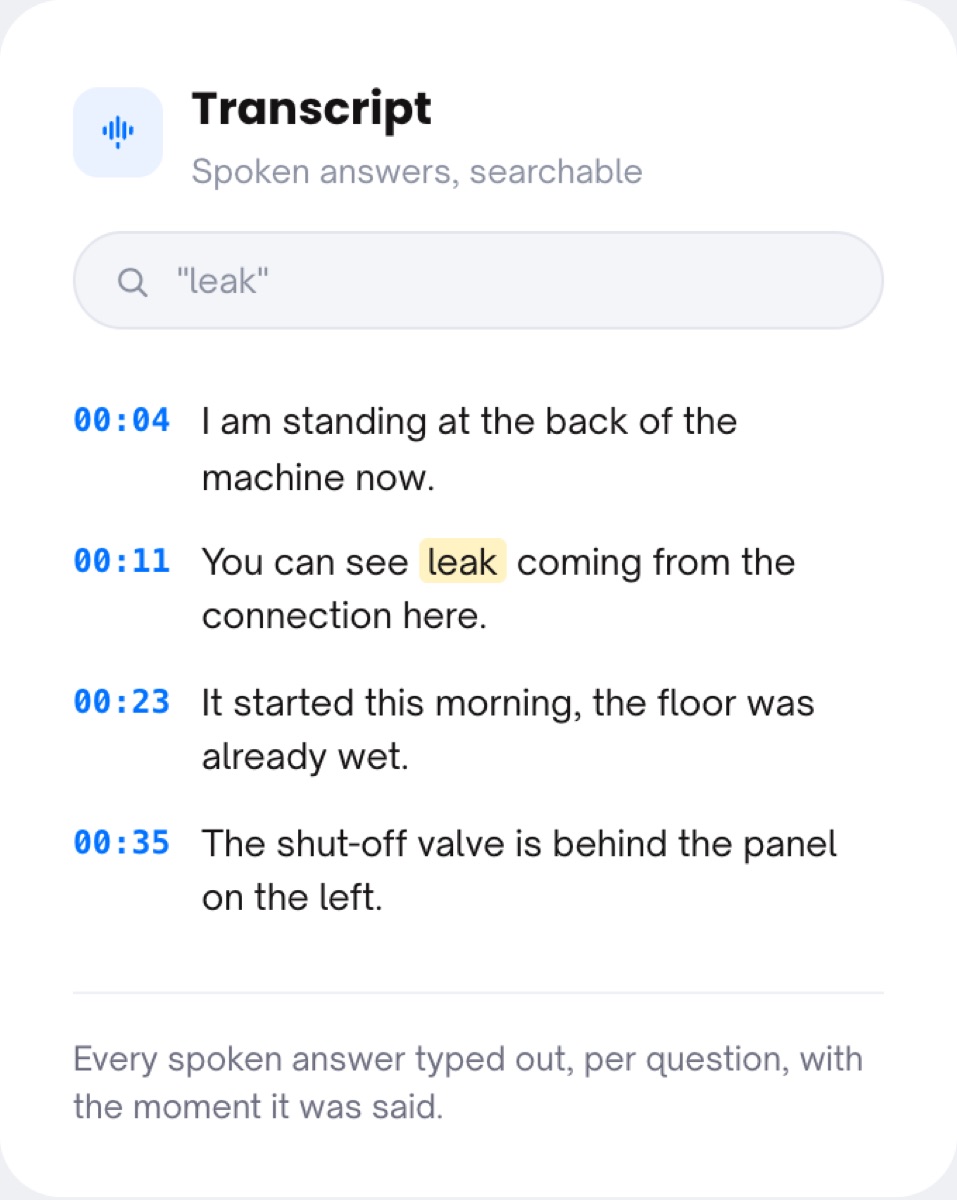
A video with sound is better than a video without. It is still a video: to find out what the driver said about the noise, somebody scrubs through ninety seconds with the volume up. And the free-text box on a phone gets "see video" and nothing else.
The explanation is in the footage, but not in the file anyone can search.
Written descriptions from customers are short, vague and typed with one thumb.
The one detail that mattered ("it started after the power cut") is at 00:41 and nobody hears it.
The customer opens a secure personal link on their phone. No app, no account, no dictation software.
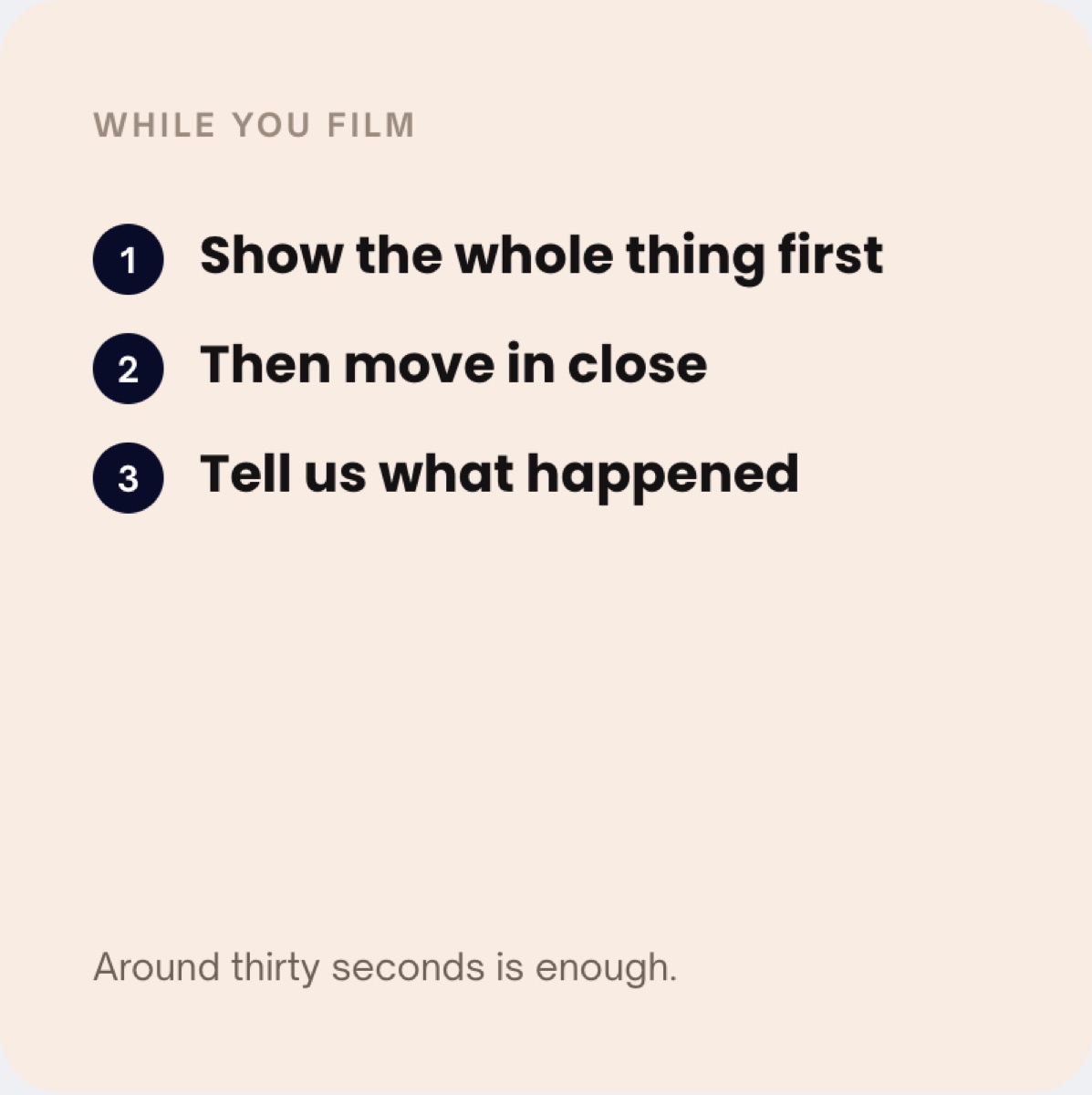
While the camera runs, the instruction on screen asks them to describe out loud what they are showing: walk around the machine, say what happened, say when it started.
The submission lands in the shared inbox as a sealed case. The spoken explanation is transcribed and attached to the question it answered, next to the video and the photos.
Your team reads the answer instead of listening for it, searches the case for the word that matters, and routes the case to the right person.
Talking is the lowest-effort way to explain a problem, and it is the one a tenant, driver or customer will do. The flow asks for it at the moment they are looking at the thing, so the description matches the picture.
A transcript per question means the handler scans the case in seconds and finds the sentence that decides the route. The person reviewing case forty of the day does not replay case forty's audio.
Weeks later, when the question is "did the customer mention the warning light?", the answer is a search in the case, not a re-watch. The transcript stays in the file with the timestamps and the seal.
Hear it in their words, read it in yours.
You write it in the flow builder: "walk around the machine and describe out loud what you see", "tell us when it started". The customer sees it on screen the whole time the camera runs.
The transcription is attached per question in the case, so a flow with two video steps produces two transcripts, each under the question it answers. Your team can search the case for a word and jump to it.
The landing page tells the customer, before they start, that recordings may be processed with AI and external services for analysis and transcription. That disclaimer is part of the consent screen, not small print afterwards.
Capture writes down what was said; whether it is accurate, complete or true is still your team's call.
Where spoken answers do the most work: maintenance requests, fleet damage reporting and remote triage. Retention of the audio and the transcript follows your settings, see privacy and retention. Glossary: speech to text, transcription, guided capture.
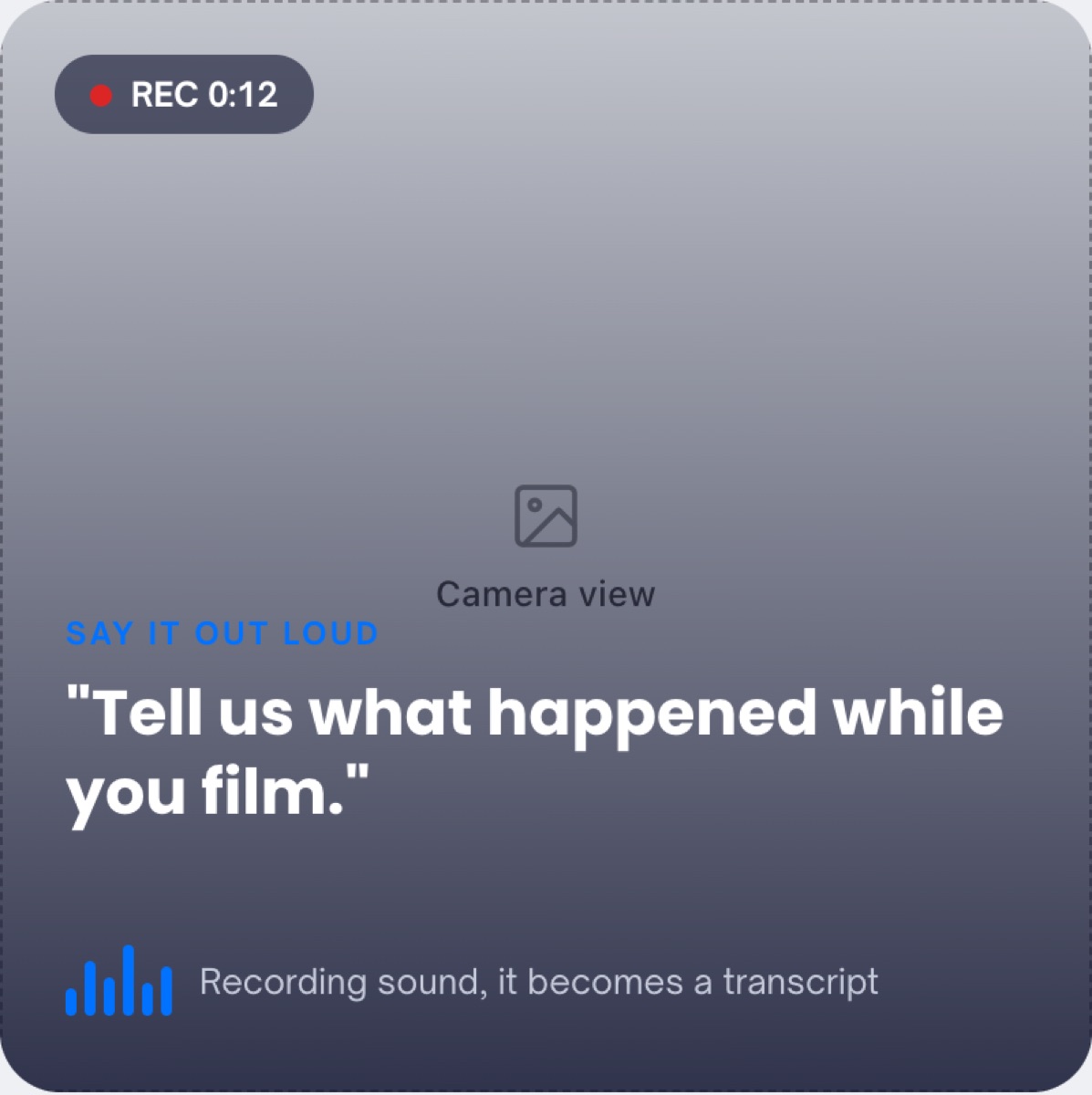
Only what you ask for in a text field. For the explanation itself, the flow asks them to talk while filming, and the transcript is created from that. Contact details are asked at the end.
In the case, attached to the question it answers, next to the video, the photos, the timestamps and the signals. It is searchable inside the case.
Yes. The landing page carries a disclaimer that recordings may be processed with AI and external services for analysis and transcription, and the consent line links to your own privacy statement.
Yes. Search the case for a word such as "leak" or "warning light" and the matching lines are highlighted with their time in the recording.
No. The video stays the evidence; the transcript is the fast way to read it. Both sit in the same sealed case.
Send a flow with a spoken step and read the answer in the case, not in the footage.
Live in 10 minutes. Stuck? Book a free setup call and we build your first flow together.
