The customer does not know what an expert wants to see. Your flow does. Venta Capture, a product of VentaVid, is a guided visual capture platform: your customer, tenant, driver or contractor films what you need on their own phone, guided step by step, with no app and no account, and it arrives as a sealed, structured case in your team's inbox. Conditional questions are how your expertise gets into that flow.
Yes on question three means: film it. No means: move on. Your team never asks a follow-up.
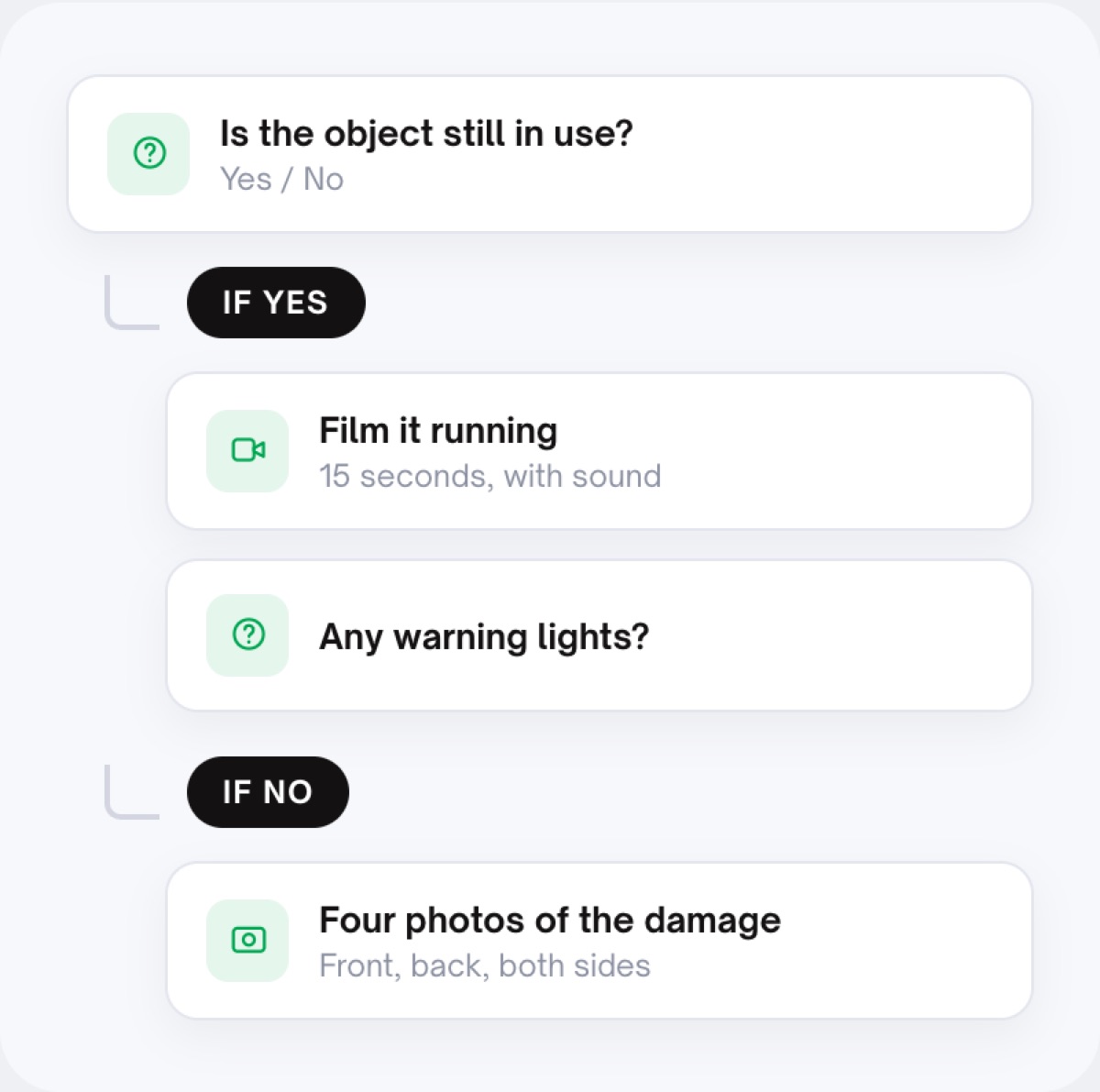
A fixed checklist treats every case the same. The water leak gets the same nine steps as the cracked screen, the customer answers questions that do not apply, and the one question that mattered was never asked because it only matters when the answer to the previous one is yes.
Claims handlers, service planners and property teams send the same three follow-up emails for every submission.
Customers abandon a flow that asks about things that are plainly irrelevant to them.
The submission that needed urgent attention looks exactly like the one that did not.
The customer gets a secure personal link by email, SMS, WhatsApp or as a QR code on a screen or a document.
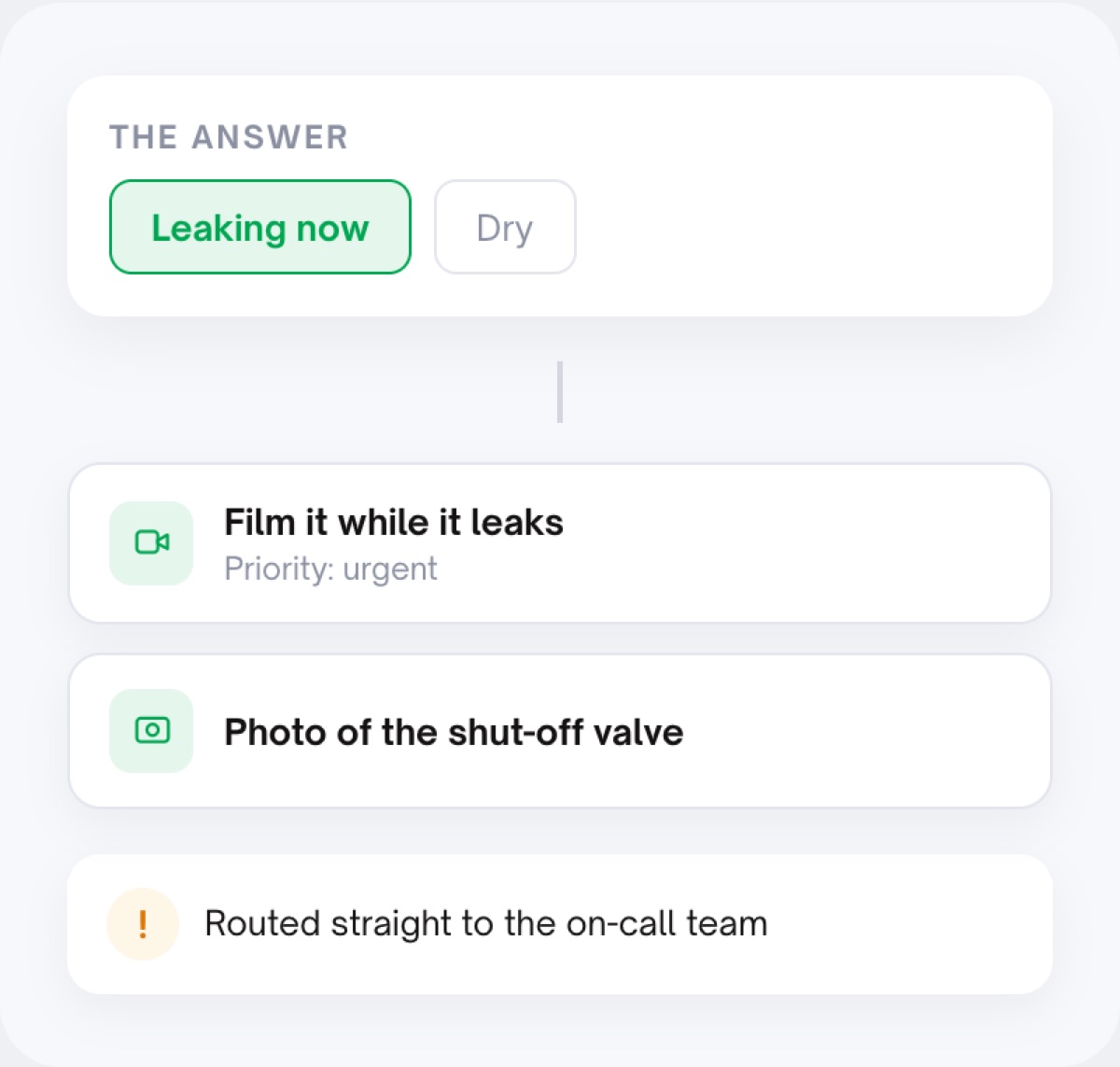
A single-choice list or a yes/no question sends the customer down the branch that fits: inside or outside, still running or not, leaking now or dry. Each branch has its own video steps, photo slots and questions.
The submission arrives as a case that holds the answers per question next to the media, the transcript and the signals, all under your reference number.
Advanced workflows read the answers: if urgency is high and the location is outside, email the on-call team and set the status. Your team opens a case that is already where it belongs.
The leak that is running right now gets "film it while it leaks". The dry one gets a photo of the valve. Every question earns its place, so more customers finish the flow and fewer of them guess.
Two customers with the same problem walk the same branch and answer the same questions in the same order. Your team compares like with like, week after week.
The expert's follow-ups are already in the flow. What lands in the inbox is complete for its branch, so the handler decides instead of writing back.
Put your expert's questions in the flow and let the answers do the routing.
Question types in the flow builder: a single-choice list, a yes/no question, checkboxes, dropdowns and free text. A choice question can steer which steps follow; a yes/no question can add a step ("is there anything the fixed photos do not show?") or skip it.
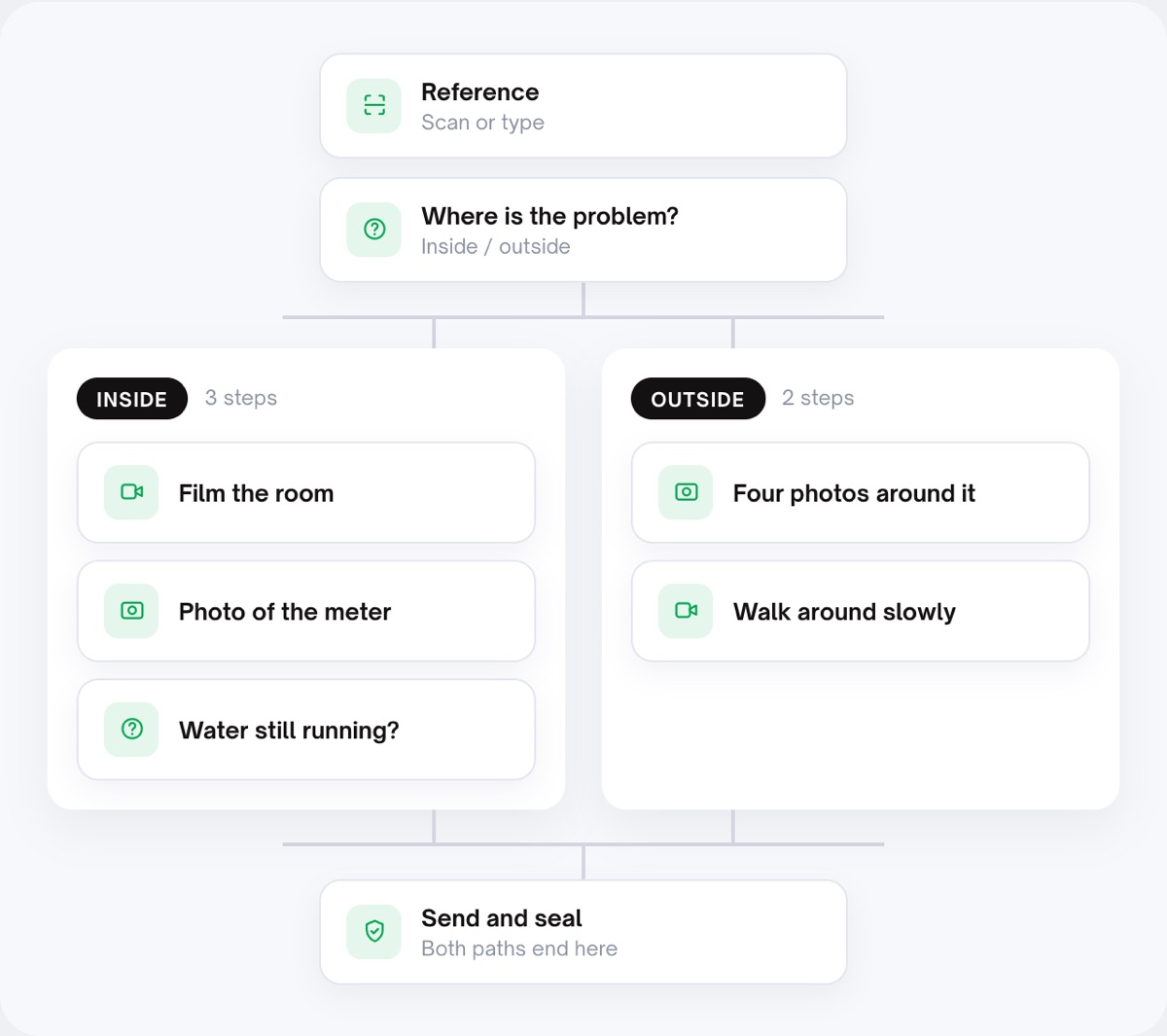
A water damage flow can start with "where is the problem, inside or outside?": inside gets a video of the room, a photo of the meter and a question about running water; outside gets four photos around the object and a slow walk-around. Both end in the same submit and seal.
Advanced workflows act on the answers after submission: if a field meets a condition (with AND / OR), send an email to a named address, set a status. Conditions and actions can be stacked.
Custom flows are the ones with if-this-then-that logic, set up around your process. Bring them to the free setup call and we build the first one together.
See it in a process: customer support (choose the problem, then film it), maintenance requests and warranty claims. Ready-made starting points are in the templates library, and the case with all its answers lands in the shared inbox. Glossary: conditional logic, guided workflow, claims triage.
The flow tells them per step: show this, film this, answer this. You set the order and the instructions; the customer follows. A conditional question changes which steps they see, based on their own answer.
Yes. A branch can hold any mix of video steps, photo slots and further questions, and branches can end in the same final steps (declaration, contact details, submit).
Standard flows come ready-made and you can adjust them yourself. Custom flows with if-this-then-that logic are set up around your process by VentaVid, and the free setup call builds the first one with you.
They are stored per question in the case, next to the media and the transcript. Advanced workflows can read them: send an email or set a status when a field meets a condition.
No. It routes, notifies and sets a status if you tell it to. Diagnosis, approval and the decision on the case stay with your team.
One question, two branches, and the case that arrives is already complete for its situation.
Live in 10 minutes. Stuck? Book a free setup call and we build your first flow together.
