You decide what gets filmed, in what order, with which questions. Your customer opens a secure personal link and is walked through it. Venta Capture, a product of VentaVid, is a guided visual capture platform: no app and no account on their side, and a sealed, structured case in your team’s inbox on yours.
4 out of 5 issues handled and closed the same day. Reported by teams using Venta Capture, a product of VentaVid.
Share link
IC-2026-00038 · personal link
RECIPIENT EMAIL
MESSAGE
The link is added automatically.
 New submission1 video · 3 photos
The alternatives to a link are an app the customer has to install, an account they have to create, or a video call both of you have to be free for. Each one loses people before anything is filmed. Claims handlers, service desks, dealerships and property managers all know the drop-off.
A customer you see once will not install an app to show you a scratch.
"Send us some photos" comes back by email, WhatsApp and text, to three different colleagues.
Every video call needs an employee at the same moment, so capacity is whatever the diary allows.
Set the steps, the order and the questions in the flow builder. Your expertise goes into the flow, so the customer does not have to know what you need to see.
SMS, WhatsApp, email, or a QR code on screen, on an invoice, in a portal or at the counter. From the dashboard, from a template, or from your own system through the API.
The link opens in their browser, in your branding, in their language. Step by step, with questions that change depending on what they show you.
Video, photos, answers, transcript, timestamps and device context land in the shared inbox under your own reference number, sealed on arrival.
A link or a QR code instead of an app means the customer you see once still joins in. No installation, no password, no drop-off. Send now, they capture when it suits them, you review when you are ready.
Your logo, your colours, your sending domain and your own name in the link. A message from your brand gets opened; a message from an unknown platform does not.
Two numbers for one job is where every mix-up starts. The case carries your reference scheme and a separate field for the number your own system already uses, so it lands on the right file without anyone retyping.
Get a real capture link on your own phone in the next two minutes.
Every way the link reaches the customer, and everything that makes it look like it came from you.
The share window in the dashboard has four tabs: email, SMS, copy and GIF. Email takes the recipient’s address and name and an editable message, with a box to include a QR code in the email. SMS takes a mobile number with country code and counts the characters. Copy gives you the bare link or the link with text, for WhatsApp or any other channel. GIF copies an animated preview for your email signature.
In SMS and WhatsApp the link unfurls into a card that already says the three things that matter: record a video, show us in 30 seconds, no app and no account. The customer knows what they are tapping before they tap.
Opened on a computer, the page explains that recording is only possible on a phone and shows a QR code to continue there. The camera that films is always the one in the customer’s hand, which is what makes "recorded now, on this device" true.
What the link looks like in a chat
 Record a video for usShow us in 30 seconds. No app. No account.
Opened on a computer
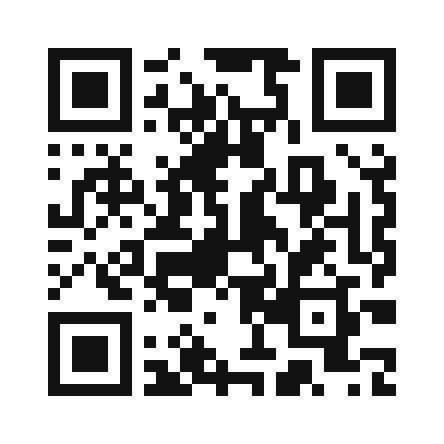 Continue on your phoneRecording only works with the camera in your hand. Scan the code to carry on there.
The same link works as a QR code wherever the customer already is: a portal page, a confirmation email, an invoice, a service screen, a sticker at the counter. Scan with the phone camera and the flow opens.
A colleague with a login can start a capture from the dashboard without sending anything: the counter, the yard, the site. The case lands in the inbox like any other, with the same reference scheme and seal. That is how proof of work and walk-in check-ins usually run.
Combine the QR start with a scan step in the flow: the customer scans the machine’s barcode, the asset tag or the QR sticker as the first step, so the case lands on the right object without anyone typing a number.
QR code for this link
Site inspection
The capture experience runs in 15 languages, selected automatically from the language of the customer’s phone. The whole flow follows: buttons, prompts, "Ready to roll?", the consent line and the declaration.
You build the flow once. The language is picked for the customer, so a rental company with international crews does not maintain a copy per market.
The dashboard renders in the language of the user. The case content stays what the customer submitted, with the transcript in their words.
Multilingual
The flow runs in their language, picked from the browser.
Brand style is set once for the whole account: logo, five brand colours, a font, and a preview that updates as you change things. "Pull colours from your website" scans your URL and fills the palette for you.
The invitation goes out from your sender name and your own sending domain once the DNS records are in place. The link itself carries your company name as a subdomain, so the customer sees a message from you, not from a platform they have never heard of.
The capture pages, the thank-you page, the confirmation email and the report email all carry your styling. Nothing on the customer’s screen says "third party".
Brand style · set once for the whole account
SMS and email straight from the dashboard, a copied link for WhatsApp or any chat tool, a QR code on screen or on paper, and the API or automations from your own system.
No. The link opens in the browser of any phone. No app store, no installation, no password.
The page blocks recording on a computer and shows a QR code to continue on the phone. Filming always happens on the device in the customer’s hand.
Yours. Logo, colours and font come from your brand style, email goes out from your own sending domain, and the link carries your own name. "Powered by VentaVid" can be switched off.
The capture flow runs in 15 languages and follows the language of the customer’s browser, system texts included. The dashboard follows the language of the user.
Nothing breaks. The customer films when it suits them and your team reviews when the case arrives. Nobody has to be online at the same moment, which is why an inspection by link scales in a way a video call cannot.
Yes. A team member can start a capture themselves at the counter, at a handover or on a job, and the result lands in the same inbox as everything else.
On-site starts carry rental and handover, service intake at the counter for dealerships and proof of work in field service. Background: our post on remote inspection software.
Build one flow, send it to a single customer, and see what comes back.
Live in 10 minutes. Stuck? Book a free setup call and we build your first flow together.
