Venta Capture, a product of VentaVid, is a guided visual capture platform: your customer, tenant, driver or contractor films what you need on their own phone, guided step by step, with no app and no account, and it arrives as a sealed, structured case in your team's inbox. For a dealership, that is the trade-in walk-around, the rattle before the service appointment and the lease return, filmed at home.
Guided walk-around, number plate and VIN captured, spoken explanation transcribed. Sealed on arrival.
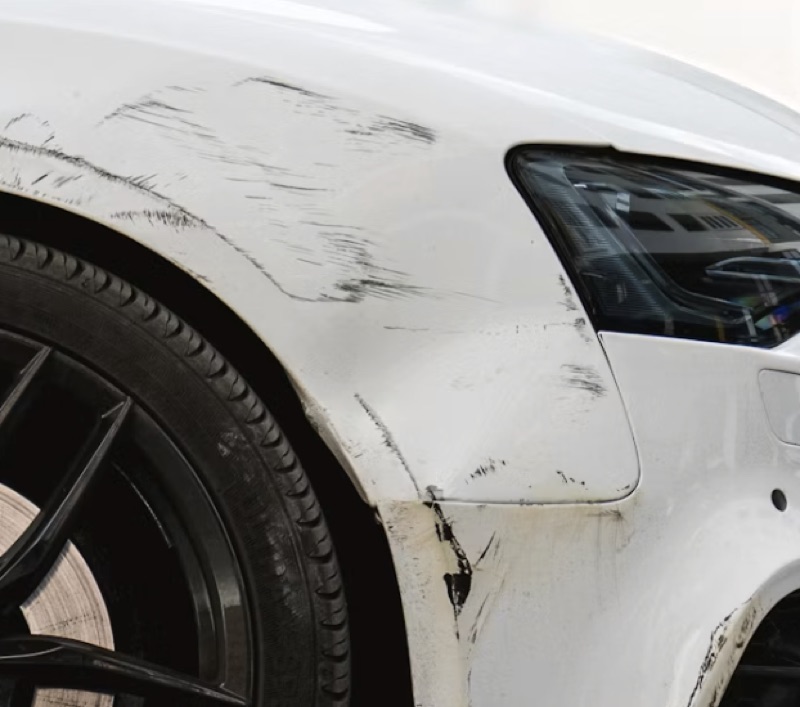
The customer wants the best price for the part-exchange and gives you the mileage, maybe one photo. The service customer says "a noise at the front over bumps" and nothing else. The lease return comes back with a scratch nobody can date. In all three cases someone at the dealership decides without having seen the car.
A trade-in valued sight unseen, corrected at the desk, and a customer who feels the number moved.
A service appointment booked without knowing the part, the time or the technician it needs, so the customer comes back next week.
A return-condition dispute with two sets of photos and no way to say which came first.
From the lead, the booking confirmation, the chatbot or a QR code at the service drive. Staff can also start a capture at the counter.
Registration, mileage, four corners, close-ups of damage, a walk-around with a spoken explanation. A yes/no question decides whether an extra step appears. No app, no account.
The submission arrives with your reference number, the answers, the transcript and the media, sealed on arrival, and routed to sales, service or the used-car buyer.
The appraiser values from the video. The workshop planner books the right technician and orders the part. For a return, a reviewer compares two sealed records in one file.
A guided vehicle walkaround shows the dents, the tyres, the dashboard and the interior in the order you set. The offer goes out with the car seen, so it holds at the desk.
The customer films the noise before the appointment. The planner hears it, reads the transcript and reserves the hours and parts it needs. Fewer "come back next week" conversations.
Capture at handover and again at return, with the same flow. Both records are sealed, both parties can hold a copy, and the two cases sit linked in one file.
Send one link to your own phone and film your own car in two minutes.
The customer opens the link on their phone. First the registration plate, typed in or photographed, and a scan field for the VIN sticker. Then a photo of the odometer, four photos with a named slot each (front, back, left, right), close-ups of any damage, and a walk-around video with the instruction on screen: keep the whole car in frame, say out loud what you see. A yes/no: any warning lights on the dash? If yes, film the cluster. Contact details at the end, and a reference number on the thank-you screen.
Shorter: a choice question about the complaint, a video of the noise or the fault with the engine running, a photo of the dashboard, and a free-text field. The spoken description arrives as searchable text, so the advisor can quote it on the work order.
The same condition flow as at delivery, filmed by the driver at home a week before the return date. The reviewer opens both cases side by side.
No. The link or QR code opens in the phone's browser. No app, no account, and the flow runs in the customer's own language.
One click: retake. The customer gets the same flow, aimed at what is missing, and the retake is linked to the original with the reason attached.
No. It gives your appraiser a guided walk-around, the answers and the transcript. The valuation stays with your team.
The customer types or photographs the registration plate, and a scan field reads the VIN sticker, QR codes and barcodes so the number lands on the case exactly as printed.
In the shared inbox, routed to sales or service, with "copy for CRM" on every case. A REST API, webhooks and automations pass it to your DMS or CRM.
Also relevant: flow builder, scan fields and integrations and API. Background: our posts on online trade-in appraisal, digital service intake and lease return inspections.
Trade-in, intake or return: see it before you value it, book it or sign it off.
Live in 10 minutes. Stuck? Book a free setup call and we build your first flow together.
