Venta Capture, a product of VentaVid, is a guided visual capture platform: your customer, tenant, driver or contractor films what you need on their own phone, guided step by step, with no app and no account, and it arrives as a sealed, structured case in your team’s inbox. Every photo and video is checked on arrival: how it was recorded, whether the file was edited or generated, and whether the picture already exists online. Each finding is marked green, orange or red against rules you set, and says in plain words what it does and does not mean.
More than 25 checks per submission: automatic signals, recorded session events and one signed seal. Your team decides.

Signal rules
v4Most submissions are honest. The trouble is that honest and doubtful look the same in a mailbox, so everything gets the same slow treatment and the one file that deserved a second look gets none. Two claims arrive the same morning: the dog chewed a designer bag, and the bag is on the sofa right now. A burglar damaged a car last night and the owner already photographed it. Nobody can tell which is which.
A black box that shouts "fraud" is no answer either: nobody can defend that in front of a customer, a regulator or a judge.
A claims team reviews every photo with the same suspicion, because nothing tells them which case actually warrants it.
A warranty department approves a return on a picture that already exists on a marketplace, and finds out after the refund.
A property manager or rental desk gets a check-in video that closely resembles last month’s, and has no way of noticing.
Your team sends a secure personal capture link, or the customer scans a QR code. A notice before recording says the recording is sealed and checked for editing. Per form you decide: record in the session only, or record plus add an existing photo.
The customer records video and photos in the browser, guided step by step. The session is logged as it happens: recording attempts, camera stream or file, device and network context. Where the form allows it, they add a photo they already have.
On receipt every file is sealed with a server receipt time and a fingerprint. Then the checks run: how the recording reached the server, traces of editing or AI in an uploaded file, and whether the photo already exists on the internet. Each signal is assessed against your named, versioned rule set and marked green, orange or red.
The reviewer opens the case, reads each finding with its caveat next to it, and decides: approve for handling, ask for a new capture, or escalate to a manager with a reason.
Green, orange and red tell a reviewer where attention is needed. That means the honest majority moves faster, and the few cases that need a closer look get one.
Every signal carries a title and the nuance that belongs with it. That means a handler can tell a customer exactly why a case is on hold, in words a human understands, not a score.
You set each signal to ignore, info, orange or red, some with a threshold. That means two insurers with different appetites for risk run the same product with different outcomes, and neither is told what to think.
Record one photo, upload one from your gallery, and read the difference in your own case.
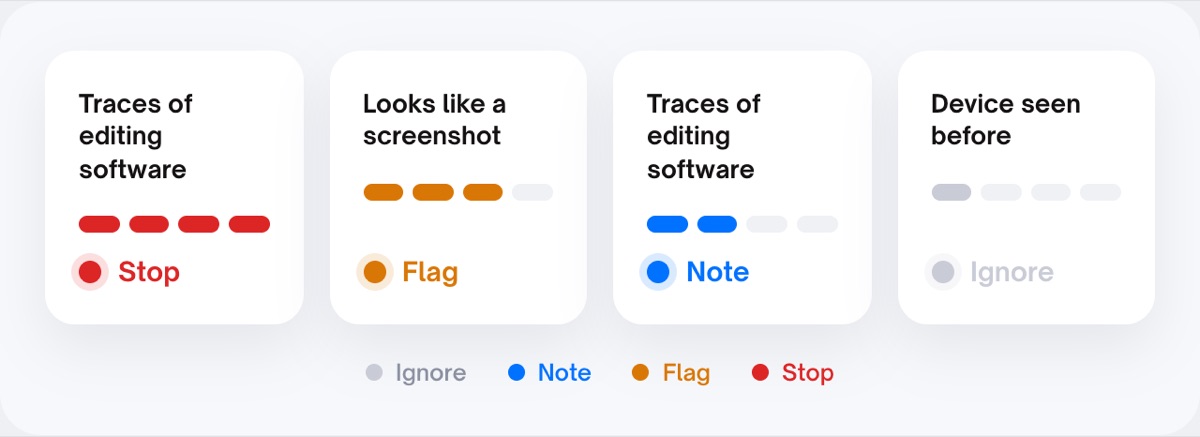
Four checks run on every submission. Each one puts its finding on the item, with the caveat next to it, and each one has its own dial in your rules.
Each photo and video carries its own panel: green "no anomalies found", orange "take a closer look", red "do not trust without a new capture". The rest of the case is not coloured by one item.
"From the gallery: the moment and place cannot be proven." "Sent via a messaging app: re-saved, that is not an edit." "Found on the internet: exactly this photo already exists online." A handler can read it to a customer.
"No action needed. If you need certainty about when it was taken, request a new photo." Reviewers can comment per photo or video, and the green-status button only sets a workflow status you choose.
Per item, not just per case
Recorded in the session on this device, nothing triggered.
Caveat. A clean result means the file is unchanged since receipt, not that the situation is genuine.
From a file rather than the session, no device data present.
Caveat. A file from the gallery cannot prove moment and place, and missing device data also happens after sharing through an app.
Found online, and a similar environment in an earlier submission.
Caveat. A re-save by a messaging app is not an edit. Ask for a new capture before you conclude anything.
Known virtual-camera software present; video arriving through a file fallback instead of a stream; no streaming confirmation; a sealing failure; a device or network seen before; a similar environment in an earlier submission.
Each signal is set independently to ignore, info, orange or red. Recording attempts, for instance: trying again is normal, and you choose where normal ends, such as "flag from three". Two organisations run the same product with different outcomes.
Next to a virtual-camera finding: its presence does not prove it was used for this recording. Next to a device seen before: a shared household phone also produces reuse. A declined location is shown as neutral, never counted anywhere, no hidden score.
"Taken via Venta Capture" for the in-app camera, with the receipt server-verified. "Provenance: not verified" for anything from the gallery or a file. Uploads are allowed per form, so a fresh-damage flow can insist on a session recording while an existing-evidence flow accepts a file.
Source, original file, device, capture time, location with a map link, camera settings, system software. Everything read from the file is labelled unverified; only the receipt time is server verified.
Uploaded photos are checked for traces of AI editing and generation. A strong indication turns the item red with the finding in plain words, and the advice is a new capture rather than a conclusion. Photos recorded in the session are not sent out for this check.
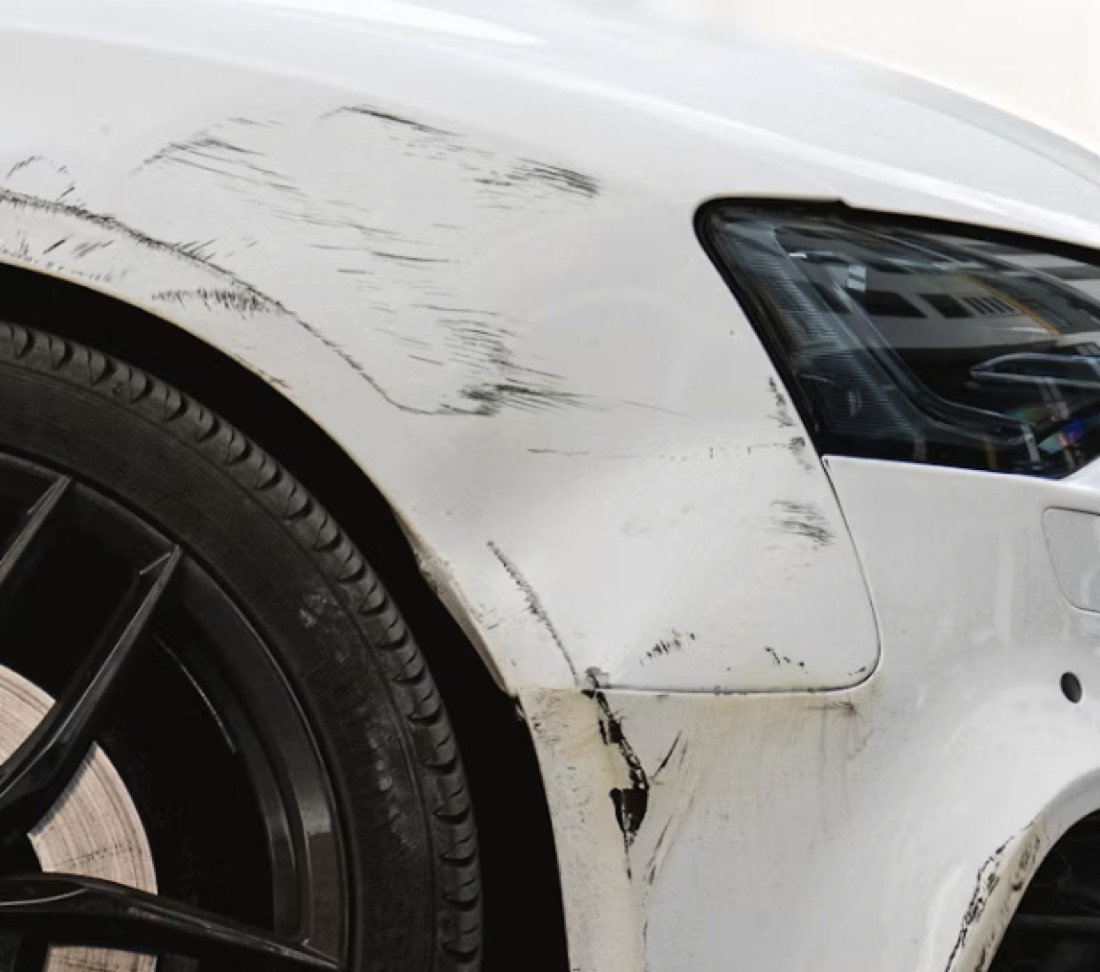
Checked on arrival
!Provenance: not verified!AI check: strong indications✓Time and device logged✓Sealed on arrival!Location declined by the submitter"Found online: 2 matches" sits above the green chips for the checks that came back clean. When nothing is found, the item says so: "Not found on the internet", next to "AI check: no indications" and "Not submitted before".
The submitted photo and the copy found online, with the similarity score between them, the URLs where it appeared and the years. Buttons: Ask to resubmit, View sources.
It runs on every upload, on arrival, before anyone opens the case, and the result lands in the case with the rest of the provenance findings.
The internet comparison and the visual checks run on uploaded photos only. A photo recorded in the session already carries its receipt time and device context and needs no search.
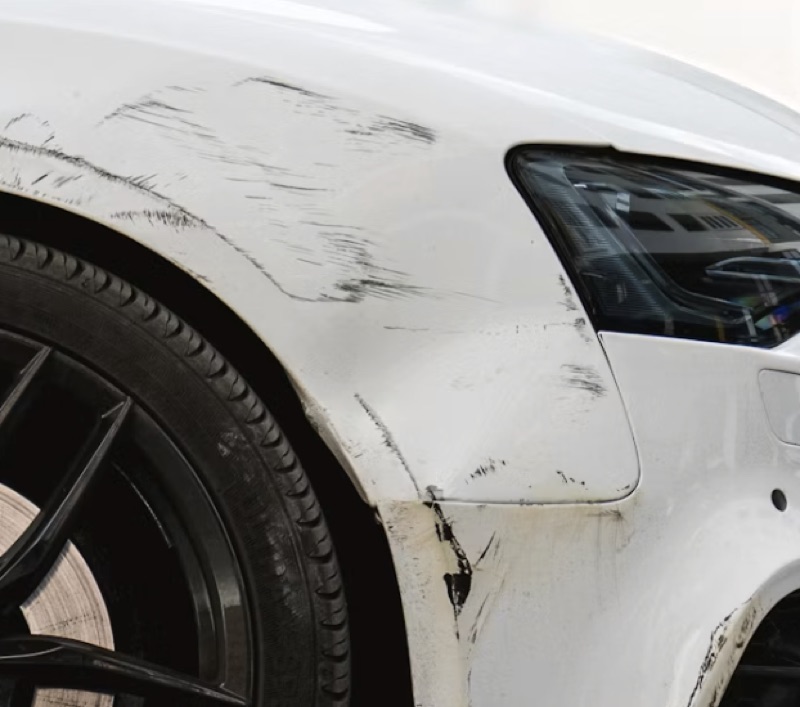 Submitted98%Found online
A status only tells the reviewer where to look. Approval, payout or handling happens in your own systems, by a person, and each action is recorded with who, when and why.
Rules are named and versioned. An old case keeps the version it was assessed under; re-assessment happens on request, and you can see which set a case was judged under.
The receipt time proves receipt, not the event. Harder to manipulate is not impossible to deceive. Capture does not diagnose, and it never accuses anyone.
No. It gives signals: green, orange or red, against rules you set yourself. Every signal type has its own setting, so you decide what counts as a reason to look and what does not. A signal is a reason to look, not a judgement. Your team decides.
Recording attempts, a file arriving instead of a session recording, virtual-camera software, a device or network seen on an earlier submission, a similar environment, a sealing failure, and for uploaded photos: editing traces, AI indications and copies found on the internet. Each one is explained in the case.
Not by default: video and photos are recorded in the session on this device. If you allow an extra upload on a form, it arrives labelled "Provenance: not verified" and is checked on arrival.
No. It means the file cannot be trusted as evidence of the moment and place, and the advice is to request a new capture. There can be an innocent explanation, such as a customer who posted their own photo first. A person decides what happens next; the product never accuses anyone.
Yes. Every signal can be set to ignore, info, orange or red, and several take a threshold, such as "flag from three recording attempts". Changes create a new version of the rule set; earlier cases keep the version they were judged under.
No, and nobody can with certainty from the outside. What the product does is observe the symptoms: virtual-camera software, a file instead of a stream, no streaming confirmation, a device seen before. Each is shown as a signal with its caveat.
Not on its own, which is why everything read from the file is labelled unverified. Only the receipt time is set by the server. The value of the check is in the combination of findings, shown next to each other. Raw IP addresses are deleted after a configurable number of days; a non-identifying network fingerprint remains so that reuse can be signalled.
Where the checks are used: remote claim inspection, customer support and property check-ins. Background: our posts on shallowfake insurance claims and AI-generated insurance fraud.
One flow, one link, and a case that tells you where to look.
Live in 10 minutes. Stuck? Book a free setup call and we build your first flow together.
