


Remote inspection software lets an organisation see and assess a physical situation (a damaged car, a leaking boiler, a flat at check-out) without sending a qualified person to it. The person on site records photos and video on a phone, and an expert reviews them from a desk. Products in the category come in three types: an upload request, a live video call, and guided capture that the person completes on their own, with nobody on the line.
This post in 30 seconds.
- One name, three products. Upload requests, live calls and guided capture solve different problems, and most lists pile them into one ranking.
- Four questions decide it: does the person on site need an app, does the flow tell them what to record, what integrity information travels with the file, and where does the submission land afterwards.
- Written for the operations, claims or field-service lead who has to pick a type before picking a vendor. If you want named vendors, our comparison of the best remote inspection software for insurance claims does that job; this page explains the category.
If you run claims intake, a field-service desk or a service department, you know the failure this software is bought to fix: the customer sends fourteen photos and not one of them shows the thing you needed to see. We build Venta Capture, a product of VentaVid, which sits in the third type below, so read that section with the bias switched on. Start for free if you want to try the guided version while you read.
In this post:
What is remote inspection?
A remote inspection is an inspection where the person who judges the situation is not standing in front of it. Someone on site provides the eyes and the camera; the expert decides from somewhere else. You will also see it called a virtual inspection or a remote video inspection; in practice the terms are used interchangeably.
The term means different things in different industries, which is part of why the search results look so mixed:
- Industrial remote visual inspection. Borescopes, pipe cameras and crawlers that look inside engines, pipes and tanks a person cannot reach. The Wikipedia entry on remote visual inspection covers this meaning, and our glossary has more on borescope inspection.
- Building department inspections. Permit offices run Remote Virtual Inspections, where a contractor on site walks an inspector through the work on a video call. The ICC's guidance on remote virtual inspections and the US Department of Energy's Remote Virtual Inspection resources describe that use.
- Business inspections done by the person who is already there. A claimant films storm damage, a driver records a lease return, a tenant shows a damp patch, a technician shows a finished install. This is what most remote inspection software is built for, and it is what the rest of this page is about.
What is video inspection?
A video inspection is an inspection made from video footage instead of in person. The footage can be streamed during a call or recorded and reviewed later. Video beats photos when the problem has movement or sound (a noise from a gearbox, water running down a wall) or when context matters, because a slow walk-around shows how one detail relates to the next.
What remote inspection software does
Strip the marketing off any product in this category and the same loop sits underneath: request, guide, capture, verify, review, act.
- Request. The organisation asks a specific person for specific visual information, usually by link.
- Guide. The person on site is told what to record, in what order, with what context. This is where the expertise lives.
- Capture. Video and photos get recorded, plus answers to whatever questions the flow asks.
- Verify. Technical information is recorded around the material: when it arrived, what happened during the session, whether the file is still the file.
- Review. The submission lands somewhere a human works, with an owner and a status.
- Act. Approve, quote, dispatch, escalate, request a retake, close.
An inspection is one process you can run on that loop. The same loop carries service intake, triage, trade-in appraisal, warranty submissions, lease returns, handovers, proof of work and rental condition reports. That matters commercially, because a tool priced and scoped per inspection tends to fight you the first time you want it for something adjacent. It is also why we describe what we build as a video inspection platform rather than an inspection app.
Try it on your own phone
Want to see what a guided capture looks like?
Request a capture link and we email you one. Open it on your phone, follow the steps, and see exactly what your customer or field team would see. No app, no account.
The three types of remote inspection software
Almost every product difference in the category comes down to two things: who holds the camera, and whether anyone from your side has to be there at the same moment.
1. The upload request
The person gets a link, picks files from the phone and sends them. It replaces the email attachment and the WhatsApp thread, and that is useful: files land in one place, tied to a case number.
What it does not change is who decides what gets shown. The person on site still chooses the angles, and a file picked from the gallery tells you little about when it was made or whether it was edited. For a scratched parcel, fine. For a claim that supports a payout, it leaves the handler guessing.
2. The live video call
The expert sends a link, the person's camera opens in the browser, and the expert steers: other side of the car, closer, now the ceiling. This is the type most search results treat as the whole category, and it solves a real problem: the expert stops driving. Many live tools also record the call and let the expert take stills.
The trade-off is the calendar. A live call removes the travel and keeps the appointment. You go from "we need to visit next Thursday" to "we do not need to visit, but we do need a call together on Tuesday at 14:30." For a complex loss adjustment, that is a fine trade. For 400 routine damage reports a month, it is a staffing model.
3. Guided capture without a call
The request goes out as a link by SMS, WhatsApp, email or QR code. It opens in the phone's browser, so there is no app and no account. The expert's questions are built into the steps: the flow tells the person what to record and in what order, asks conditional questions along the way, and the finished submission arrives as a structured case rather than a folder of files. This is asynchronous capture, and Venta Capture works this way.
The difference from the other two is that customer time and employee time stop being the same time. The person records at nine in the evening if that is when they are standing next to the damage; your team reviews a queue of finished cases in the morning.
Where it struggles is honest and specific. If the value of the interaction is the conversation, an unattended flow will underdeliver. Nobody asks the surprised follow-up question an experienced adjuster asks in the third minute of a call.
Most products do more than one of these. What matters is where each one starts, because that is what the pricing, the staffing model and the evidence trail are built around.
What about inspector apps?
There is a fourth kind of product that shows up in the same searches: an app for your own trained inspectors, built around an asset register, work orders and maintenance history. If your inspections are a scheduled internal job on assets you own, that is not a compromise, it is the right answer. It is a different purchase, though, because it assumes the person holding the phone works for you. The moment the person nearest the problem is a customer, a tenant or a driver, asking them to install an app and create an account before they can show you a scratch is where adoption quietly dies.
How to perform a remote inspection
Whatever tool you use, a remote inspection that holds up follows the same order of work:
- Name the decision first. Approve the claim, quote the repair, dispatch a technician, accept the return. The inspection exists to answer one question; write it down before you write the steps.
- Write the shot list in the order a person on site can follow. A wide shot for context, then close-ups, then identifiers (plate, serial number, meter reading). Add a scale reference where size matters. Our inspection checklist entry covers what makes one usable.
- Pick the type. An upload request for low-stakes cases, a live call when you need to talk, guided capture when volume or scheduling is the constraint.
- Send a secure, personal link on the channel the person reads. For most consumers that is SMS or WhatsApp, not email.
- Let them capture with guidance. One instruction per step, with an example image where the shot is easy to get wrong. Ask the questions that change what you need to see next.
- Review against the shot list. If one step is unusable, ask for a retake of that step only, not the whole submission.
- Decide and record who decided. The case should keep the material, the answers, the time of receipt and the name of the person who made the call, so it still makes sense in month eight of a dispute.
Steps 2 and 5 are where most remote inspections fail. A vague request ("send us some photos of the damage") hands your expertise to someone who does not have it.
How to inspect a car remotely
A car is the most common thing people inspect remotely: trade-in appraisal at a dealership, lease returns, service intake and motor claims. The shot order that works for most of them:
- A slow walk-around, starting at the front left corner, at walking pace, with the whole car in frame. Video works better than photos here because it shows how panels line up.
- Each panel close up where there is damage, plus the wheels, tyres and windscreen.
- The dashboard with the ignition on, so the mileage and any warning lights are readable.
- The VIN plate and the number plate, so the footage is tied to one car.
- The interior: seats, headlining, boot.
- A few questions: has it had accident damage, how many keys, is there a service history.
Daylight and a dry car make a bigger difference than any camera setting. The result is a vehicle condition report you can price from, or a clear note that this one needs a physical look. If the car has just been in an accident, our checklist of what photos to take after a car accident covers the extra shots an insurer will want.
How we put this guide together
Three things worth saying before you weigh anything above.
- We did not benchmark tools for this page. No scores, no star ratings, no "we tested seven platforms" claim. Named vendors and what they say about themselves are in our separate comparison for insurance claims, with every statement taken from the vendor's own site.
- What we did use: public product documentation, the questions buyers ask us during evaluations, and the search results ranking for this term, which is where the confusion between the types comes from.
- Our bias, out loud: we build one of the three. If your inspections are performed by your own trained inspectors against a fixed asset register, an inspector app will fit you better than we will. If your cases need two-way conversation while the camera runs, buy a live tool and do not let anyone talk you out of it.

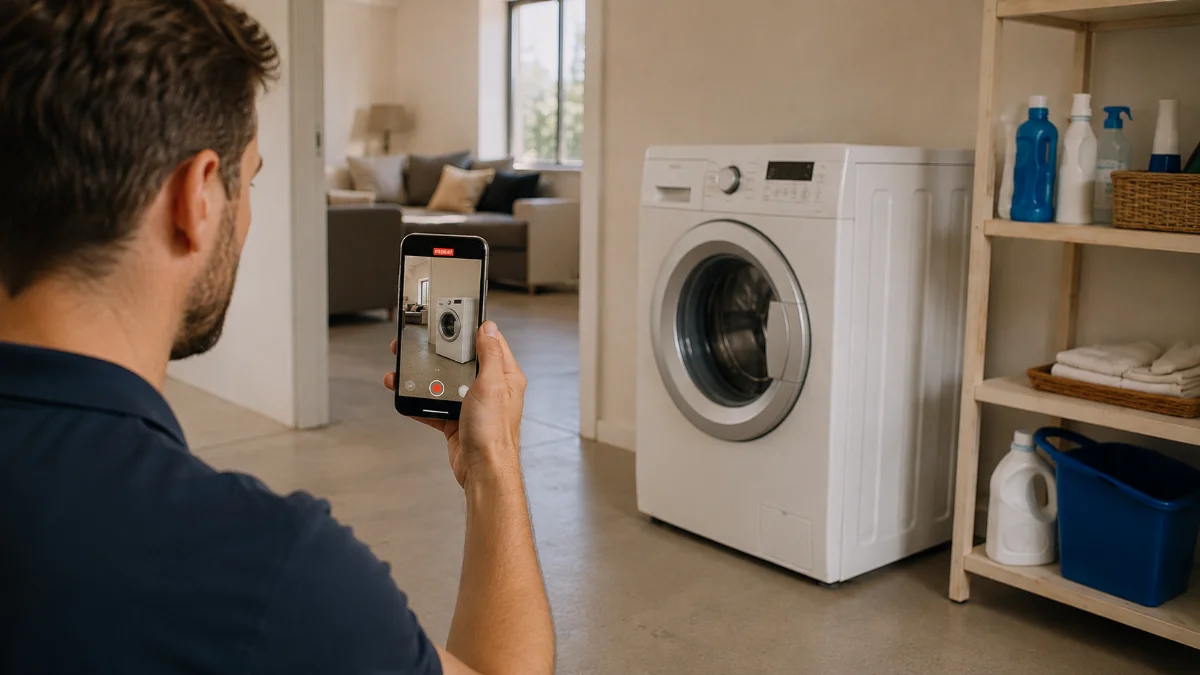
How to choose remote inspection software
Six criteria, in the order they tend to decide deals.
Does the person on site need an app?
Ask one question in every demo: what does the person on site have to install, download or sign up for? If the answer involves an app store, model your completion rate accordingly, especially for one-time participants like claimants and tenants. Our glossary entry on no-app inspection goes into why.
The next question is language. A flow that only exists in English fails the moment the driver, the tenant or the contractor does not read it. Venta Capture runs the guided flow in 15 languages in the mobile browser, the kind of detail that never makes a feature grid and decides real deployments.
Does it guide, or only collect?
There is a real gap between "send us some photos" and guided capture. The first outsources your expertise to someone who does not have it. The second builds the expert's checklist into the steps, so the right angles, the serial number and the wide shot for context arrive the first time.
Check whether you can build and edit the workflow yourself, and whether it supports conditional questions. If every change needs a support ticket, your workflow will be out of date within a quarter. Look at what a remote claim inspection needs versus a field service triage: same product, a completely different sequence of steps.
What do you know about the file?
This is the criterion missing from most guides in the category, which is strange given that claims and warranty are the two headline use cases. Insurance fraud costs the United States an estimated $308.6 billion a year, according to a 2022 study for the Coalition Against Insurance Fraud. If you collect visual material that supports a payout, you should be able to say what you know about the file in front of you.
Ask what gets recorded around the submission, not just inside it:
- Recorded now, or uploaded? Was the video recorded inside the requested flow, on this device, or picked from the gallery after an unknown amount of editing? A good tool allows uploads where you want them, but labels them separately.
- Time of receipt. Set by the vendor's server or by the phone's clock? Note what this proves: the moment your system received the submission, not the moment the damage occurred.
- File fingerprint. A SHA-256 hash, standardised by NIST in FIPS 180-4, answers a question that matters in a dispute: is this still the exact file we originally received?
- A seal you can check outside the vendor's screen. A signed seal, a timestamp from an independent timestamping authority and a printable record are worth more than a green tick in someone's interface.
- Session checks. Device context, location, and observations about the device and the session.
On checks, insist on the right framing from the vendor. A check is a reason to look, never a verdict, and no honest product can promise that fraud becomes impossible. A genuine recording can still show a staged situation. What good tooling changes is that evidence collection becomes structured, contextual and verifiable, with the human decision left where it belongs.
For reference, this is how Venta Capture handles it: every file is sealed on receipt with its own fingerprint and a signed seal; photos and video recorded in the session carry a visible stamp with date, time and seal; each case gets a timestamp from an independent timestamping authority; and a reviewer can print a proof of seal. Per customer, you can switch on a spoken code issued for that session, a changing session code in the frame of every photo and video, a motion step that compares the phone's movement sensor with the movement in the image, and a device consistency check. The remote claim inspection page counts more than 25 control points per submission. More on how that plays out in practice is in our guide to insurance claim documentation.
Where does the submission land?
A capture tool that emails you a link to a video has moved the problem, not solved it. Six weeks in, the evidence lives in three inboxes and a WhatsApp group.
What you want is a shared queue: an owner per case, a status, comments, one-click retake requests, and routing that pushes cases to whoever can act on them. Ask about retakes specifically. Being able to say "this one shot is unusable, redo just that step" is the difference between a two-day loop and a ten-minute one.
Does it connect to the system you already use?
The question is not whether they have an API. It is whether the finished case can be pushed into the system where the work already happens: the claims platform, the CRM, the DMS, the ticketing tool. Ask about webhooks, auto-forward on status change, and what happens to the media files themselves rather than just the metadata.
For automotive teams, this is the difference between a car dealership using remote appraisal at scale and it staying a pilot. Same story on the service side, where the capture has to line up with the process your aftersales department already runs.
Does it keep audit logs and encrypt the data?
You are collecting video of people's homes, vehicles and sometimes people. Article 5(1)(e) of the GDPR requires personal data to be kept in identifiable form no longer than necessary for the purpose it was collected for, which makes retention a configuration question, not a footnote.
Confirm three things in writing: encryption in transit and at rest; an audit trail showing who viewed and did what to a case, and when; and configurable retention with automatic deletion. "Enterprise-grade security" on a slide is not an answer to any of those.
Six questions to ask on the demo
If you only get 45 minutes with a vendor, these six questions cover most of the ground above, and the answers are hard to fudge.
- Can the person on site start in seconds, with no app and no account? Every install step and login screen costs you completed submissions, and one-time participants drop out first.
- Does it guide, or just collect? A guided flow puts the checklist in front of the person; a collector leaves them guessing.
- Is the output comparable job to job? Two submissions for the same type of case should look the same in the queue, otherwise every review starts from scratch.
- Does it fit the process you already run? Ask how a finished case reaches your claims platform, CRM or ticketing tool (view link, API or webhook) and who sets that up. With Venta Capture, integrations and workflows with branching or routing logic are set up around your process by VentaVid, so ask what that scoping looks like rather than assuming it is self-service.
- What happens to the data? Where it is hosted, how long it is kept, whether deletion is automatic or a support ticket, and who owns the material.
- Is the first workflow part of implementation? A platform you configure alone tends to stay in pilot, so ask whether someone helps you get the first one running and how long that takes.
If a vendor can answer all six without slides, the rest of the evaluation gets much shorter.
Close the evidence loop. Send a link, get guided video back, sealed and ready to review.
Book a demoStart for free →Which type fits your situation
Pick an upload request if
- Cases are low-stakes and nobody will ever argue about when a photo was taken.
- You mainly want files out of email and attached to a case number.
Pick a live video call if
- The value is in the conversation: the expert's follow-up question is the point.
- Volumes are low enough that staffing a call per case is not the constraint.
- Cases are complex, high-value or contested from the start.
Pick guided capture without a call if
- The person nearest the problem is a customer, tenant, driver or contractor who will never install anything.
- Volume is the constraint, and cases are mostly routine with a minority that need escalation.
- You need the submission to arrive as a structured evidence package, not as attachments.
- Scheduling is the bottleneck, which it usually is.
Not sure which side of the line you sit on? Book a demo and bring one real case with you. Fifteen minutes on an actual example beats an hour of feature grids.
When remote inspection is the wrong call
Sometimes it is. A structural assessment, a safety certification, a total loss, a case already heading for litigation: these want a qualified person physically present, and no amount of 4K video changes that.
The useful framing is remote-first, not remote-only. A remote look gives you a decision point before the next action: resolve remotely, request more information, quote, dispatch, escalate, or send someone out properly briefed. The visits that remain still happen. They just happen with the right person, the right parts and the right expectations, because somebody saw the situation first. That is the argument behind warranty claim inspection done remotely: see first, act second.
The scale question most demos skip
Here is the arithmetic that decides most of these purchases, and almost no demo runs it.
Imagine 500 customers need to show you damage this month. With live calls, somebody from your team has to be available for 500 sessions, at times that suit 500 other people. Capture capacity is coupled to employee availability. Add volume and you add headcount, or you add queue.
With guided capture, 500 requests go out, 500 people complete them whenever suits them, and your team spends its hours reviewing rather than attending. At 1,000 captures you do not staff 1,000 video appointments. That is a different operating model, not a better feature.
Cycle time is where this shows up. The 2026 J.D. Power U.S. Property Claims Satisfaction Study, based on 5,093 homeowners who had filed a claim, put average repair completion at 29.6 days and average time to final payment at 40.7 days, both better than the year before and both long enough that a few days saved at intake is worth real money. Every day spent waiting for a scheduled slot is a day added to that number.
On the service side, Venta Capture's customer support page reports 23% of customer problems solved without dispatching a technician. That is a support and field-service figure rather than a universal claim, and your mix will differ. Run it against your own dispatch cost before you believe anyone's number, including ours.
See what a capture request looks like from the customer's side. It takes about two minutes to send one to your own phone.
If you are still deciding whether this category is the right one at all, two other guides do the groundwork: remote inspection software vs field service apps explains where a field service management tool stops and guided capture starts, and remote visual inspection covers the concept before any product enters the picture.
Once you know which type you need, best remote inspection software for insurance claims names the vendors in each group, and vehicle self-inspection tools compared does the same for motor, fleet and lease returns.
Frequently asked questions
What is remote inspection?
An inspection where the person who judges the situation is not standing in front of it. Someone on site records photos and video, during a call or on their own, and an expert reviews the material from elsewhere. In industry the term also covers borescopes and pipe cameras, and building departments use it for video-call permit inspections.
Is remote inspection the same as a video call?
No. A video call is one way to do it, and it still needs both people free at the same moment. Guided capture removes the appointment: the request goes out, the person records when it suits them, and your team reviews later.
Do customers need to download an app?
That depends on the type you pick, and it is the biggest single predictor of completion for one-time participants. Link-based tools like Venta Capture run in the phone's browser with no app and no account, which is why they work for claimants and tenants who will never install anything.
Can you trust a photo or video the customer took?
More when it was recorded inside a guided flow than when it was uploaded from a gallery, and more still when the platform seals the file on receipt and records what happened around it. No vendor should tell you fraud becomes impossible, because a genuine recording can still show a misleading situation. Treat checks as a reason to look closer, never as a verdict.
How much does remote inspection software cost?
Most vendors quote rather than publish, and pricing usually keys off volume, seats or both. Venta Capture does not publish prices either, but you can start for free with no credit card and build a workflow before you talk to anyone.
Which remote inspection software is best for insurance claims?
It depends on the type your claims desk needs: live calls for complex losses, guided capture for volume, AI estimating as a separate purchase. Our comparison of remote inspection software for insurance claims lays the main tools side by side, with every statement taken from the vendor's own site.
Where Venta Capture fits
If you got this far and the guided-capture column describes your situation, that is the part we build. A secure, personal link goes out, the person already standing there records what you need with guidance, and the submission arrives as a structured case: recordings, answers, transcript, timestamps, seal, checks, case context and audit history. Not three videos and five photos.
Low-risk to look at.
- Free account, no credit card required. Build a workflow and send yourself a capture request.
- Nothing for the participant to install. It runs in the browser they already have open.
- Bring one real case to a demo and we will map it to your process rather than show slides.
A real person from the VentaVid team runs these, and they will tell you if an inspector app or a live tool is the better fit for what you described.
Start for free or book a 15-minute demo. More about who we are lives on the about page, and there is a deeper walkthrough of the claims use case in our post on remote claim inspection.