
No-app inspection, defined: the person on site opens a link and completes the inspection in the phone's browser, with nothing to install and no account
A no-app inspection is an inspection completed from a link in the phone's own browser, with nothing to download and no account to create. The organisation sends the link by SMS, email, WhatsApp or a QR code; the participant taps it, the camera opens inside the page, and the photos, video and answers go straight back. It is also called a web-based inspection or an inspection without an app download.
The definition matters because the participant is usually not your employee. A customer with a dented bumper, a tenant on move-in day, a driver in a yard or a subcontractor finishing a job will do a ten-minute task from a link. Almost none of them will install software for it, and the drop-off happens at exactly the moment you needed the evidence.
How a no-app inspection works
The mechanics are those of a mobile web app. The link opens a branded page in Safari or Chrome. The page asks for camera permission the way any website does, then runs the flow: a scan field for a serial or registration plate, photo slots with an example and a plain instruction each, a video step with an on-screen prompt about what to walk around and describe, a few yes-or-no questions, and a declaration at the end. Photos and video are recorded inside the session, not selected from the gallery, and the submission is stamped on receipt by the server. If the link is opened on a computer, the page shows a QR code so the participant continues on the phone, because the camera is the point.
On the organisation's side nothing changes compared to an app-based tool: the submission lands in the same queue, gets the same review, and can be sent back for a retake in one click.

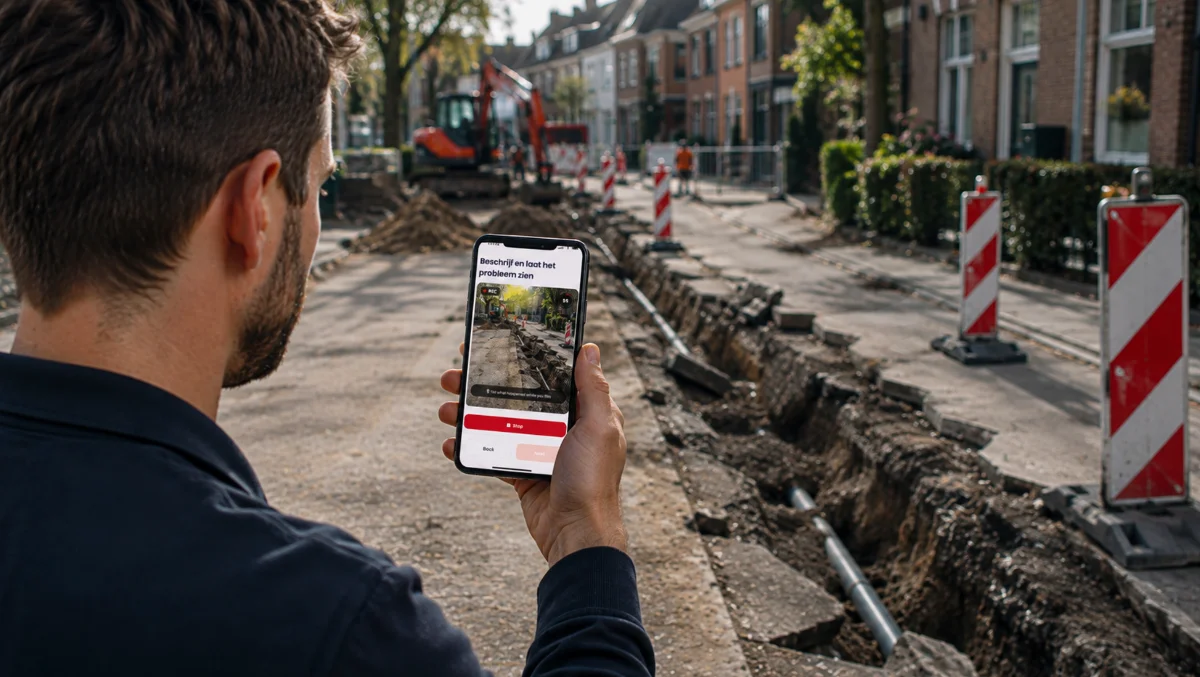
Why app installs fail at the worst moment
- The timing is wrong. The request arrives when the person is stressed, wet, or standing in a car park. An app store, a password reset and a permissions screen are three chances to give up.
- The frequency is wrong. Most participants will do this once. An app is a commitment; a link is a task.
- The phone is not yours. Storage full, old operating system, corporate device policy, a pay-as-you-go handset with no store account. A browser page sidesteps all of it and runs in the participant's own language.
- Support becomes yours. Every install problem is a call to your team about someone else's phone.
The visible symptom is a low inspection completion rate, followed by the phone loop the tool was supposed to end: "could you just send me a few photos on WhatsApp".
No-app inspection example: an off-hire excavator on a Friday
A plant hire company needs the condition of a mini excavator recorded before it leaves a site, and the hirer's foreman is the only person there. The hire desk sends a link to his phone. The flow asks for the machine from four corners, the hour meter, the bucket teeth, the tracks, a close-up of anything damaged, and a short video walking round it. He photographs a cracked cab window and says so in the video. Nine minutes, no install, submitted before the low-loader arrives.
When the machine reaches the depot with the window cracked, the damage recharge goes out with the foreman's own dated photo attached, and the argument about whether it happened in transit never starts. Had the desk asked him to install an app first, the likely outcome is no record at all and a recharge the hirer disputes.
What a no-app inspection does not do, and the mistakes teams make
It does not lower the evidence standard. Recording in the browser session, server-side receipt time, a file fingerprint on arrival and a session audit trail are all available without an install. The channel changes; the evidence integrity should not.
It does not make an untrained person an inspector. The competent-person judgement, the pass or fail, the estimate, stays with the qualified reviewer. The participant provides the eyes and the camera; the organisation's expertise lives in the flow, which is what guided capture means.
The mistakes: sending a bare link with "take some photos" and no shot list, so the browser was the easy part and the content is still unusable; leaving gallery uploads open with no provenance check, so nobody can say when the picture was taken; and building the no-app path for customers while still making your own contractors fight an install. This is the same idea as no-app capture applied to one process, and it is what makes a self service inspection possible at all for people who are not on your payroll.
Where the record goes
The submission should land against the job, hire, claim or tenancy reference in the system that already holds it, with the media, the answers and the integrity record together, and a view link a colleague without a login can open. The wider practice of asking for the right photos in the right order is covered in guided photo capture.
Venta Capture, a product of VentaVid, runs entirely this way: the customer, tenant, driver or contractor is sent a link, follows the guided steps in the mobile browser with no app and no account, and the submission arrives timestamped and digitally sealed for the team to review. Details at the Venta Capture pages.
In practice: see how field service teams use Venta Capture.