Venta Capture, a product of VentaVid, is a guided visual capture platform: your customer, tenant, driver or contractor films what you need on their own phone, guided step by step, with no app and no account, and it arrives as a sealed, structured case in your team's inbox. The honest alternative to that is not another tool. It is a WhatsApp thread, and this page takes it seriously.
Named angles, your order, your questions. Every case comparable with the last one.
Most teams that ask customers for visual evidence do not use software for it. A service desk asks the customer to WhatsApp a photo of the fault. A claims handler replies to an email with "can you send us some pictures?". A rental branch gets a blurry shot of a bumper at 23:40. It works often enough that nobody replaces it, and it fails often enough that everyone has a story. The failures are always the same three.
The photo is too close, too far or from the wrong angle, so someone has to ask again.
There is no context: no serial number, no answer to "was it running when it happened?", no spoken explanation.
And there is nothing on file: the image lives on a private phone, in a chat, with a date the app assigned when it was forwarded, not when it was taken.
Chat: whatever the customer decides to send. Guided capture: the angles you named, in the order you set, with an example photo per slot and a counter of what is still missing.
Chat: a sentence, if you are lucky. Guided capture: the reference scanned from the sticker, an answer per question, and the spoken explanation as searchable text.
Chat: on a private phone, in one person's thread. Guided capture: one case under your own reference, with an owner, a status, an SLA and notes only your team sees.
Chat: a date the app assigned on forwarding. Guided capture: a server-verified receipt time, a fingerprint per file and a signed seal that can be checked outside our systems.
If you receive a few images a month, from customers you know, for decisions with nothing riding on them, a chat is fine. A regular who sends a photo of a leaking tap to a plumber he has used for ten years does not need a flow.
A very short exchange where any picture is better than none, or a situation where you will visit anyway and the photo only tells you which van to send.
Volume, stakes and disputes. When ten people receive images, when the same object has to be shown the same way every time, when an insurer, a landlord, a manufacturer or a customer may later disagree about what the picture showed and when it was taken, the thread is the weak link.
Send one link to your own phone and compare it with the last photo a customer sent you.
Put them in the flow once. A yes on "is there damage the fixed photos do not show?" opens an extra photo slot; a no moves on.
A scan field reads the code from the sticker, and the reference is captured before anything is filmed.
A spoken explanation while filming becomes a searchable transcript per question.
The case has an owner, a status, notes only the team sees, and an SLA in hours.
Recording in the session means you know it was made now, on this device. If a customer already has a photo, you can allow an upload for that flow and the product tells you what it can and cannot prove about it. Signals, not verdicts. Your team decides.

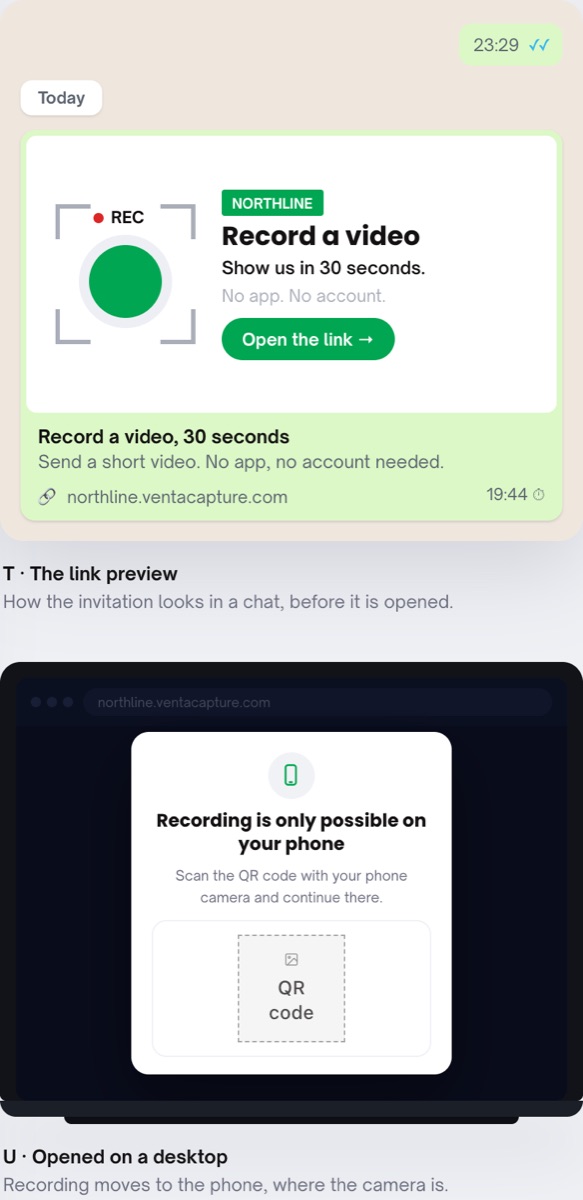
Yes. The link goes out by email, SMS, WhatsApp or as a QR code on a screen, an invoice or at the counter. The customer stays in the channel they already use; only the capture itself moves into a guided flow in the browser.
No. The secure personal link opens in the browser of any phone. No app, no account. Opened on a computer, the page shows a QR code to continue on the phone, because recording is only possible on the phone's own camera.
By default video and photos are recorded in the session itself. Per flow you can allow an extra upload, for the customer who already has a photo from last night. That upload is then checked on time, device, location, editing and whether it already exists on the internet, and it carries the label "Provenance: Not verified" with a plain-language advice line.
One click: a retake request. The customer gets the same flow, aimed at what is missing, and the retake becomes a new case linked to the original, with the reason on file.
Also relevant: request video by link, photo and video checks and flow builder. Background: our post on remote inspection software.
Keep WhatsApp for the conversation. Let the evidence arrive structured, sealed and under your reference.
Live in 10 minutes. Stuck? Book a free setup call and we build your first flow together.
