
Claims inspection software, defined: the tools that get loss evidence from the scene to the person who decides the claim
Claims inspection software is software that collects, organises and verifies the visual evidence of a loss, so an adjuster or claims handler can assess the damage without, or ahead of, a physical visit. It sits between first notification of loss and the settlement decision, and its output is a case file: photos, video, answers, timestamps and whatever signals the system attaches to them.
The definition matters because the term is used for three quite different operating models, and the one you pick decides how many people you need on the other end of the camera.
The three modes of claims inspection software
- Field adjuster app. Your own adjuster travels to the vehicle or property and records the inspection on a company device: room by room, panel by panel, with a sketch or estimate attached. The software standardises what a professional captures. Someone still drives there.
- Live video inspection. The policyholder joins a video call and walks the camera around while a desk adjuster directs them. Nobody travels, but both parties have to be free at the same moment, so every inspection is still an appointment.
- Guided self-capture. The policyholder is sent a link, follows a step-by-step flow on their own phone whenever it suits, and the submission lands in a queue for review. The expertise lives in the flow rather than in a person on the call. This is the asynchronous model.
The staffing consequence is the part vendors' feature lists tend to skip. A thousand live sessions need a thousand diary slots. A thousand self-captured submissions need review time, and review time can be queued, batched and prioritised.
What claims inspection software collects
A usable claim file contains more than pictures. The software should hold the overview shots and close-ups the assessor asked for, a spoken or typed account of what happened, the answers to routing questions (is the vehicle driveable, is the property habitable, is anyone injured), identifiers such as a registration plate or a meter serial, and the context around each file: when it was received by the server, on what kind of device, and whether it was recorded in the session or chosen from a gallery. That context is what turns attachments into inspection evidence.
Claims inspection software example: an escape of water in a semi
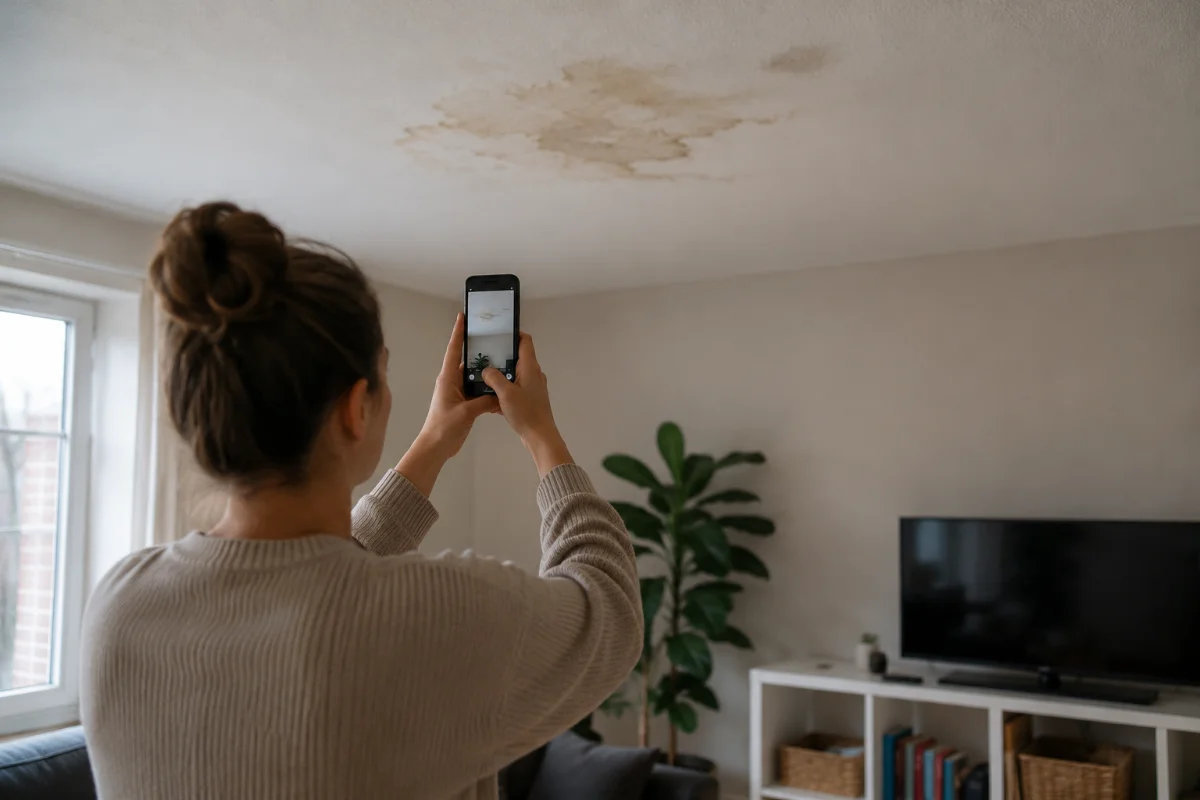
A policyholder reports water coming through the kitchen ceiling after a bathroom leak. Instead of booking a visit for the following week, the handler sends a capture link at notification. The flow asks for the ceiling from the doorway, a close-up of the staining, the bathroom floor around the toilet and bath, a photo of the stopcock, and a short video with the tap running to show whether the leak is still active. It also asks whether the ceiling is sagging.
The submission arrives that afternoon. The ceiling is stained but sound, the leak is a failed bath seal, and the handler approves a plumber and a decorator from the desk. The visit that would have found exactly the same thing a week later never happens, and the drying starts five days earlier. A sagging ceiling or a suspected pipe burst inside the wall would have sent the same claim to a surveyor instead, which is the triage the software is for.
What claims inspection software does not do, and the mistakes teams make
It does not remove the physical inspection from every claim. Structural damage, large losses, injury and contested liability still need a person on site. The realistic framing is remote first, with the visit reserved for the cases that earn it.
It does not prove when the loss happened. A receipt timestamp proves when the file arrived. What was true before that moment is a matter for the account, the policy dates and the assessor.
It does not detect fraud. Good tools surface signals: a file that arrived through a fallback instead of being recorded, virtual-camera software on the device, a device seen on an earlier claim. Each carries a caveat and a person weighs it. A tool that outputs a fraud verdict is overstating what pixels can tell you.
The mistakes are familiar. Sending a "please email us some photos" request and calling it an inspection. Requiring an app download from someone standing in a flooded kitchen. Building one generic flow for every peril, so the motor flow asks about ceilings. And offering no retake request, so the missing angle becomes a phone call and the phone call becomes a visit.
Where the evidence goes
The case file should end up in the claims platform against the claim number, not in a separate inspection archive. That means an export or an API push carrying the media, the answers and the integrity record together, so that when the claim is reopened, subrogated or audited months later, the file the decision rested on is the file that is still there, unchanged and verifiable. The operating detail is in the guide to remote claim inspection.
Venta Capture, a product of VentaVid, is built for the third mode: the policyholder is sent a link, follows the guided steps in the mobile browser with no app and no account, and the submission arrives timestamped and digitally sealed for the handler to review when ready. See the remote claim inspection flow.
In practice: see how insurers use Venta Capture for remote claim inspection.