


FNOL automation is software that handles the first notification of loss without a person keying it in: the claimant reports through a web form, chat, SMS or voice assistant, the system checks the policy, scores severity and routes the claim to the right queue. Intake, validation, triage and routing automate well. Judging the damage, settling liability and handling anything disputed or flagged still need a person, and the step most stacks leave manual is the one in between: getting the claimant to show the loss.
The 30-second brief.
- What automates: the report itself, policy and coverage checks, duplicate checks, triage, routing, acknowledgements and status updates.
- What needs a person: the assessment, liability, complex and red-flagged files, and the conversation with a claimant who is upset.
- The moment most flows miss: sending a capture link while the claimant is still on the phone, so the evidence arrives before the call ends.
- Written for claims operations and claims innovation leads at insurers who own the FNOL roadmap and the claims cycle time number it is supposed to move.
I work on Venta Capture, a product of VentaVid: a guided capture layer that plugs into an automated FNOL flow, not a replacement for one. So read the section about where it fits with that in mind. If your FNOL project is live but evidence still arrives by email attachment, start a free account and send yourself one guided capture request before you read on.
In this post:
- What is FNOL automation?
- How automated FNOL processing works, step by step
- What can be automated at FNOL, and what still needs a person
- Send the capture link while the claimant is still on the phone
- Told, known, seen: where automated FNOL stalls
- What the evidence step has to do
- Where Venta Capture fits in an automated FNOL flow
- Five build decisions before you switch it on
What is FNOL automation?
FNOL automation is the digitization of first notice of loss: the moment a policyholder or a third party reports an incident, handled by rules, integrations and AI instead of a handler typing notes into the claims system. The output is a structured claim record, validated against the policy and already on its way to the right handling path, within minutes of the report.
The terms around it overlap. Digital FNOL usually means the claimant-facing channel (a portal, an app, a chat or SMS flow) that replaces the phone call. Automated FNOL processing is what happens behind it: extraction, validation, triage and routing. Self-service claims is the wider idea that the claimant does the reporting, and sometimes the evidence, without waiting for a handler.
The prize is real. McKinsey has estimated that more than half of claims activities could be replaced by automation by 2030, with FNOL and the first investigation among the stages with the most to gain. Nobody modernizing claims in 2026 should still be defending manual intake.
Try it on your own phone
Want to see what a guided capture looks like?
Request a capture link and we email you one. Open it on your phone, follow the steps, and see exactly what your customer or field team would see. No app, no account.
How automated FNOL processing works, step by step
Most automated FNOL flows run the same six steps, whatever the vendor calls them.
- Report. The loss comes in through a web form, a chat or SMS flow, an app, email, or a voice assistant on the phone line. Every channel produces the same structured fields.
- Extract and validate. Free text and voice are turned into fields; documents are read. The system checks the policy is in force, the cover applies, the dates make sense and the claim is not a duplicate.
- Triage. A rules engine or model scores severity and complexity. This is claims triage done in seconds instead of by the first handler who opens the file.
- Route. Simple claims go to a fast track or straight-through processing; others go to desk assessment, a field visit, or the special investigations unit.
- Request evidence. Photos, video, documents, a police reference. In most flows this is one automated message: please send us some photos of the damage.
- Keep the claimant informed. Acknowledgement, claim number, next steps and status updates by SMS or email.
Steps 1 to 4 and step 6 are where the vendors compete, and they do them well. Step 5 is usually a sentence in the confirmation email, and it is where the days come back in.
What can be automated at FNOL, and what still needs a person
A modernization lead who promises the wrong things burns credibility with the claims floor. This is the split that holds up in practice.
The "requesting the evidence" row is the one people misjudge. The request can be fully automated. Looking at what comes back cannot, and nobody should pretend otherwise: a desk adjuster looking at the right footage on day one makes a better decision than one reading a description, but it is still their decision.
Four limits to write into the business case:
- Complex losses still need people. A short guided capture supports the desk decision on straightforward claims and prepares the field visit on hard ones. Remote-first, not remote-only.
- Automation does not decide truth. Neither the triage model nor the evidence layer should settle what is genuine. Remote claim inspection done well keeps the human decision central.
- No layer eliminates fraud. Better provenance makes manipulation harder to hide. Harder is not impossible, so keep your SIU skeptical.
- Software will not fix an undefined process. If nobody owns the retake loop or the signal policy, the evidence improves and the outcomes do not.
Send the capture link while the claimant is still on the phone
Plenty of claims still start with a phone call, even in a digital stack, because a stressed claimant wants to talk to someone. Most FNOL automation treats that call as the thing to replace. It is also the best moment you will get for evidence.
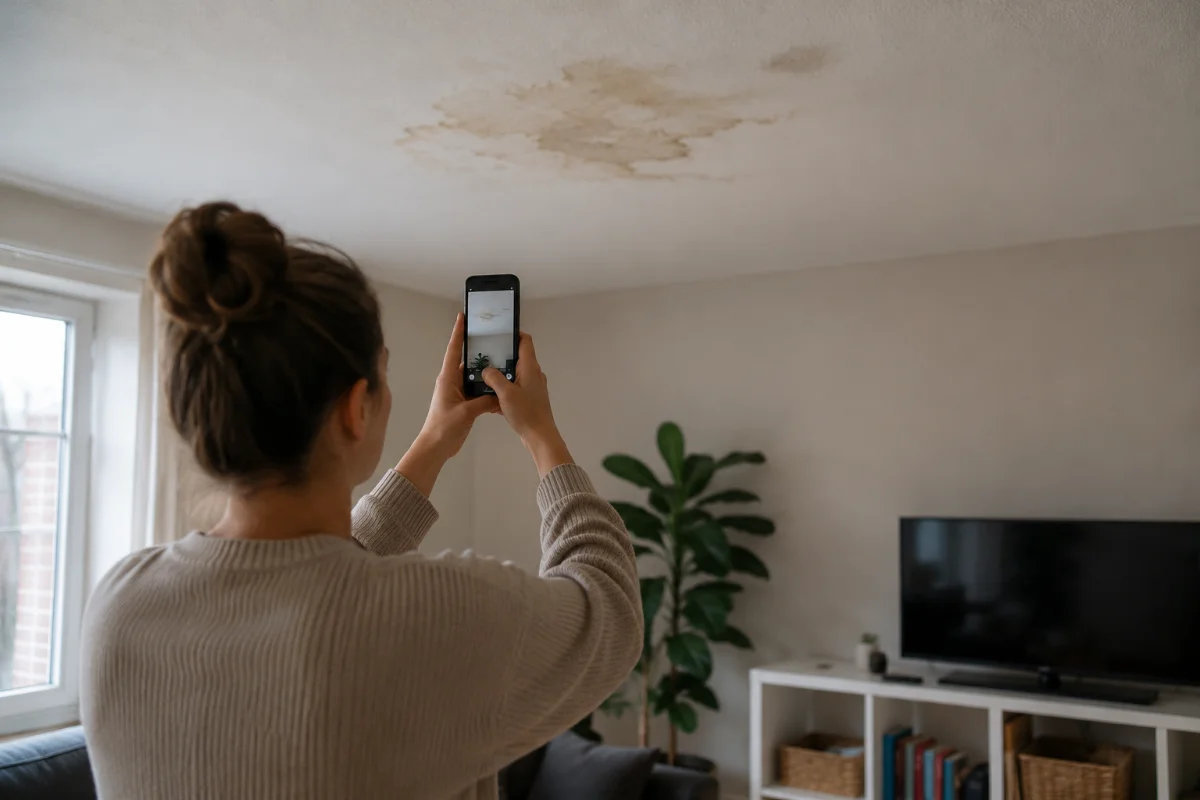
At first notification the claimant is engaged, usually still near the damage, and holding the phone. The car has not gone to the body shop yet. Nobody has mopped up the water. A week later, after the "please send photos" email, all three of those have changed.
So the handler sends a secure, personal capture link by SMS while they are still talking: "I've just sent you a text. Open it and it will walk you through what we need." The claimant taps it, the guided steps open in the phone's browser with no app and no account, and they film the damage with the handler still on the line to answer questions. Video streams while it is being recorded, so the submission is nearly sent the moment they stop filming. By the time the call ends, the case is in the claims inbox with the footage, the answers and a transcript of what the claimant said.
This is what the glossary calls video FNOL. It comes in two forms:
- On a video call, where the handler watches and directs. Good for complex losses, but it needs a handler free for every call, and it stops when the office closes.
- From a link, recorded in the session. The handler stays on the phone (or the online claim form sends the link automatically) and the claimant records following steps your assessors wrote once. It works at 22:40 just as well as at 10:00.
Venta Capture does the second. Three things to get right:
- Know when not to ask. A claimant on a motorway hard shoulder, or one who is injured, should not be filming. The handler makes that call. The link is still in their messages afterwards, so they record later from home or the garage. A participant who stops halfway can tap "Continue later" and pick up where they left off.
- Keep it short. First notification decides the route a claim takes. Ask for an overview, the damage, one identifier and a spoken account, a few minutes of work. A full inspection can follow on the same link model.
- Make the automated flow send it too. For claims reported online at night, the FNOL platform sends the same link the moment the report is submitted. The handler-on-the-phone version and the self-service version should produce the same case.
Told, known, seen: where automated FNOL stalls
Think of the data an FNOL flow holds in three layers.
- Told. What the claimant reports: form fields, the chat transcript, the voice summary. Fast to collect, and only as good as a stressed layperson's description.
- Known. What your systems add: policy, cover, prior claims, sometimes telematics or weather data.
- Seen. What the loss looks like. The dented quarter panel, the water line on the wall, the machine that will not start. Every desk assessment, claims reserve and fraud review rests on it.
Almost all FNOL automation investment goes into the first two layers. When I reread the guides ranking for this term in October 2026, most list "collect photos and documents" as one automated outreach step and move on. What comes back from that step is the problem. Claimant-selected photos arrive days later, at the wrong angles and without context, unable to carry the decision the handler has to make. So the handler writes back, and another few days go.
Every evidence round-trip gives back the days the automated intake saved. The average repairable-vehicle claim took 19.3 days in the J.D. Power 2025 U.S. Auto Claims Satisfaction Study, down from 22.3 the year before. Shaving minutes off intake while the file waits a week for usable photos is optimizing the wrong end. The motor claims process loses most of its time in exactly those waits.
What the evidence step has to do
Asking for photos earlier does not fix it on its own. "Send us some photos" fails at minute one the same way it fails at day four. The evidence step has five jobs.
- Start with zero friction. The request rides the automation you already built: an SMS, WhatsApp or email link, or a QR code, sent the moment FNOL completes or while the handler is on the call. No app to install, no account to create.
- Guide, don't hope. The claimant does not know what an assessor needs. The flow tells them: whole vehicle first, then the damaged area from two meters, then close up, then the dashboard, explaining what happened while recording. Your assessors' knowledge, written once, applied to every claim.
- Work asynchronously. Send now, capture later, review when ready. That is what makes the step scale: 500 captures in a storm week do not need 500 staffed video sessions, which matters most on a catastrophe claim surge.
- Record its own integrity. An email attachment is just a file someone sent you. The step should record when the submission was received, fingerprint the files, seal the case, and log signals worth a second look.
- Land as a case, not attachments. The output reaches your claims platform as media, answers, transcript, timestamps and integrity data together. Not seven JPEGs in a shared mailbox.
The integrity job has stopped being optional. Aviva flagged more than 18,400 suspect claims worth £233 million in 2025 and reports a growing number of claims supported by AI-generated images and manipulated documents. The Coalition Against Insurance Fraud puts fraud's cost at $308.6 billion a year in the US alone. An automated flow that accepts gallery images at face value speeds up honest claims and dishonest ones alike; AI-generated and shallowfake media are the submissions a text-only intake will never catch.
One caution, because vendors oversell here: no capture technology makes fraud impossible. A genuine recording made in the session can still show a staged scene. What integrity controls give you is provenance you can check and signals that tell a reviewer where to look. Signals, not verdicts.
Recognize the gap in your own stack? Start a free account and send yourself a guided capture request. No credit card, and you will see exactly what your claimants would see.
Where Venta Capture fits in an automated FNOL flow
Venta Capture is not an FNOL suite. It will not take the call, validate the policy or route the claim. It is the evidence step inside the flow you already have. If you need intake, validation and routing, you build or buy those elsewhere. Where many virtual inspection tools are built around a video session with an inspector on the line, Venta Capture is asynchronous by design: nobody from your team has to attend the capture.
It slots in at one moment:
- FNOL completes, or the handler is on the call. Your platform triggers a Venta Capture request through the API, or the handler sends it: a personal link by SMS, WhatsApp or email, or a QR code. Connecting it to your FNOL platform is set up around your process by VentaVid.
- The claimant captures, guided. The capture flow opens in the phone's browser, in any of 15 languages. Step-by-step instructions, conditional questions, video with the spoken explanation transcribed. Photos and video are recorded in the session, on this device; whether a gallery upload is also allowed is your choice per workflow, and uploads are checked and labelled separately.
- The submission is sealed on receipt. Each file gets a fingerprint and the case a signed seal; photos and video recorded in the session carry a visible stamp with date, time and seal; the case gets a timestamp from an independent timestamping authority; a reviewer can print a proof of seal. The remote claim inspection page describes more than 25 control points per submission, with signals your team weights by its own risk policy.
- The case lands where your handlers work. Webhooks and the REST API forward the structured case to your claims platform, or the team reviews it in the shared inbox, asks for a targeted retake, and forwards by status.
What arrives is a structured visual evidence package held together as one case with an audit history, with a clear chain of custody from capture to case. The kind of file that supports a same-day desk decision and survives a dispute a year later.
Two clarifications for claims use. The timestamp proves when your organization received the submission, not when the damage happened. And the signals are reasons to look closer, never accusations; the decision stays with your handler.
Five build decisions before you switch it on
Five decisions determine whether the evidence step moves your numbers.
- Pick the trigger point. During the FNOL call, or straight after an online report. The claimant is engaged and near the loss. Waiting for handler assignment wastes the moment.
- Define required views per peril. A motor flow needs different steps than escape of water. Write down what your assessors ask for anyway (overview, context, close-up, identifiers, spoken account) and build one workflow per claim type.
- Design the retake loop. Some captures will miss something. Decide who reviews, how fast, and how a targeted retake request goes out ("show the left side again, include the rear wheel"), so an incomplete submission is a five-minute fix.
- Set your signal policy. Decide up front what happens with an amber or red signal: which get a second reviewer, which go to SIU, which get ignored. A signal without a policy is noise.
- Choose where the case lands. Handlers should not learn a new system to see evidence. Push cases into the claims platform by webhook, or give the review team the shared inbox. Pick one.
The quickest way to judge it is to see it on one of your claim types. Book a 30-minute demo and we will walk through a capture flow for that claim type and send you the link, so you can file the test claim yourself.
How the claimant receives the request at first notification, and what the tools on the market do with it, is compared in requesting claim photos and video by link, without an app.
Frequently asked questions
What is FNOL automation?
FNOL automation digitizes the first notification of loss: the report comes in through a form, chat, SMS or voice flow, the policy and cover are checked in real time, severity is scored and the claim is routed. The goal is a structured claim record, ready for a decision, within minutes of the report.
What does automated FNOL processing include, and what stays manual?
Intake, data extraction, policy and duplicate checks, triage, routing, the evidence request and status updates can all be automated. Judging the damage, liability, complex or flagged files and difficult conversations stay with people. Automation removes keying and chasing, not the decision.
What is digital FNOL?
Digital FNOL is reporting a loss through a digital channel instead of a phone call: a portal, an app, a chat or an SMS flow. It is the claimant-facing half of FNOL automation and the starting point for claims self-service.
Can you get photos and video during the FNOL call?
Yes. The handler sends a capture link by SMS while the claimant is still on the phone, the claimant films the damage following guided steps in the browser, and the case arrives before the call ends. If filming is not safe or practical right then, the same link works later.
What should FNOL software do with claim evidence?
At minimum, request it in a guided way rather than "send photos", record whether each file was captured in the session or uploaded, seal what it receives, and hand a structured case to the claims system. Ask every vendor what happens between the tap on the link and the file in your claims platform.
Is Venta Capture a complete FNOL system?
No. It is the evidence step: triggered by your FNOL platform or a handler, it returns sealed, structured evidence through webhooks and the API. Intake, validation and routing stay with your existing stack.

Try Venta Capture on your own process
Build one workflow for your highest-volume claim type. Free, no credit card.
Talk to us
If your FNOL automation made intake fast and left assessment waiting for emailed photos, the missing piece is the evidence step, ideally sent while the claimant is still on the phone.
What it takes to start.
- Free account, no credit card. Build a capture workflow and send yourself a claim link today.
- No app for your claimants. The guided capture runs in the phone browser they already have.
- Works with the stack you own. Webhooks and a REST API hand the sealed case to your claims platform.
A real person from the VentaVid team runs these demos, on a claim scenario from your own book.
Start a free account or book a demo and we will show the capture step on one of your own claim types.