Venta Capture, a product of VentaVid, is a guided visual capture platform: your customer, tenant, driver or contractor films what you need on their own phone, guided step by step, with no app and no account, and it arrives as a sealed, structured case in your team's inbox. When you allow an existing photo to be uploaded, it is compared with public sources the moment it arrives, and a match is shown next to the original with its date.
Checked on arrival, before anyone opens the case. Signals, not verdicts: your team decides.
The most tangible kind of doubtful claim is also the simplest: a photo that is not the customer's. A cracked screen from a repair forum, a flooded kitchen from a news site, a scratched bumper from a marketplace listing sold two years ago.
In a mailbox it looks like every other photo, and the person reviewing it has no time to go searching.
A warranty or returns team refunds a product on a photo of somebody else's broken unit, and only hears about it when the item comes back intact.
A claims handler pays a contents claim on a picture that was posted online before the policy started.
A property manager or rental company receives a "this is how it looked" photo that was, in fact, a listing photo from the previous tenant.
Your team sends a secure personal capture link or shows a QR code. On the forms where an existing photo is useful, you allow an extra upload next to the session recording.
The customer follows your steps in the browser. Video and photos are recorded now, on this device. Where you allow it, they add the photo they already have.
The uploaded photo is sealed, then compared with public sources: image search, reverse lookup, marketplace listings. Photos recorded in the session are not sent anywhere, because their origin is already known.
A match appears as a red chip on the item, with the submitted photo next to the online copy, a similarity score and the source with its date. The reviewer looks, asks for a new capture, or escalates.
Every uploaded photo is compared with public sources before a person opens the case. That means your team stops doing reverse searches on a hunch, and starts doing them on every file.
The match is presented side by side with the source and the year it appeared. That means a handler can explain to a customer what was found, and a manager can see it in one glance.
A photo that already exists online is flagged before the money moves. That means the replacement, the payout or the repair waits for a closer look rather than for a complaint later.
Upload a photo you found online through your own capture link and watch the case flag it.
"Found online: 2 matches" sits above the green chips for the checks that came back clean. The rest of the case is not coloured by it; each item carries its own result.
The submitted photo and the copy found online, with the similarity score between them, the URLs where it appeared and the years. Buttons: Ask to resubmit, View sources.
Step 1 searching, step 2 match found, for a single visual of what happens on arrival.
When nothing is found, the item says so: "Not found on the internet", next to "AI check: no indications" and "Not submitted before".
The internet comparison and the visual checks run on uploaded photos. A photo recorded in the session already carries its receipt time and device context and needs no search.
How this differs from a manual reverse image search: it runs on every upload, on arrival, and the result lands in the case with the rest of the provenance findings.
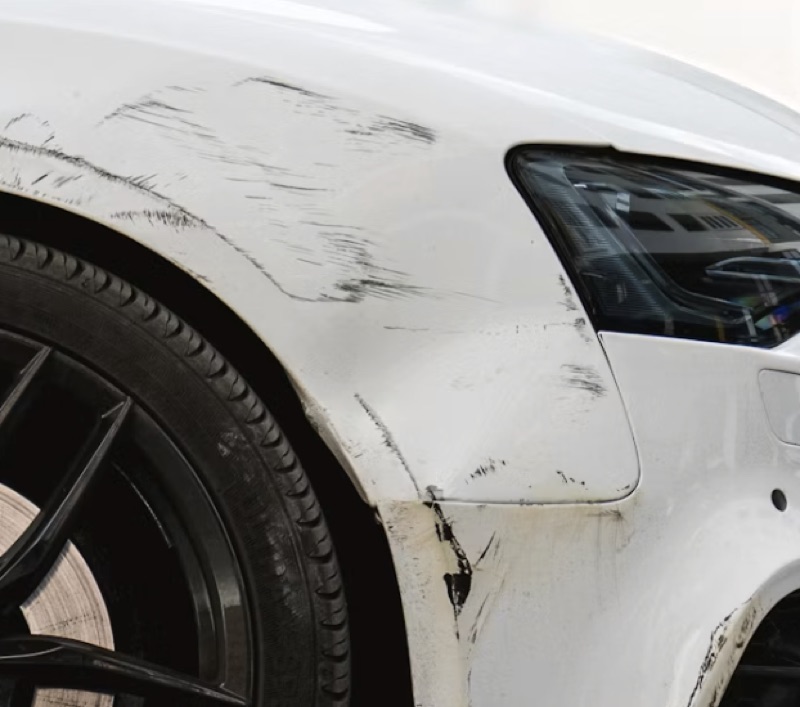 Submitted98%Found online
It runs on uploaded photos, the ones a customer adds from their gallery or a file. Photos and video recorded in the session are not compared, because their origin and receipt time are already established.
The item gets a red chip, and the case shows the submitted photo next to the online copy with the similarity score, the source and the year. The reviewer decides: ask for a new capture, escalate, or accept with a note.
No. A match is a reason to look. There can be an innocent explanation, such as a customer who posted their own photo first. The product surfaces the finding; your team makes the call.
The photo is compared with public sources; it is not posted. Data handling follows your retention settings, and raw IP addresses are deleted after a configurable number of days.
Uploads are allowed per form, and the internet comparison is part of the checks on uploaded photos. Ask us and we set it up with you.
Typical uses: warranty claims, property claims and claims investigation. See also device integrity signals, our claims discipline, the shallowfake entry, and why shallowfakes reach claims desks.
Allow the upload where it helps, and see the match before the money moves.
Live in 10 minutes. Stuck? Book a free setup call and we build your first flow together.
